Lorka AI Humanizer Review (2026): Is the AI Bundle Worth It?
Lorka AI Humanizer review: six tones and file upload inside a US$29.99 multi-model AI bundle. What you get, refunds, how it compares and when it's worth it.

Lorka AI is an all-in-one AI subscription with a built-in humanizer, and it's worth it if you'll also use the chat models, images and other tools that come with it. The humanizer has six tones, accepts uploaded documents and is included in the Standard plan at US$29.99 a month.
That price is the first thing to understand in any Lorka AI humanizer review. Lorka doesn't sell the humanizer on its own. You pay for access to ChatGPT, Claude, Gemini and several other models in one place, and the humanizer is one of the tools that come with them. If you want a humanizer and nothing else, you're paying for a lot you won't use. If you already pay for two or three AI chat subscriptions, the bundle can replace them.
What is Lorka AI?
Lorka AI is an AI aggregator: one web app and one subscription that give you several chat models, AI tools and image and video generators. Lorka is run by Palatine Global Capital LLC, according to its Refund Policy. Lorka says it has over two million users.
The chat side includes ChatGPT, Claude, Gemini, Grok, DeepSeek, Qwen, Perplexity and Mistral models, and you can switch between them in the same thread. The tools side includes a humanizer, an AI detector, a translator, a chat-with-PDF tool, web search, voice input, an image generator and a background remover. Lorka says you get access to more than seven AI generators for less than the price of one. You use it in a web browser at app.lorka.ai, where the sidebar has separate sections for chat, images, video and tools.
Is Lorka AI the same as Claude?
No. Lorka AI is a separate company that gives you access to Claude models, alongside ChatGPT, Gemini and others, inside its own app. Lorka's footer says it has no affiliation with the companies behind the models it offers. You use Claude through Lorka's interface, under Lorka's plans and limits, and Claude itself is made by Anthropic.
Lorka's AI Humanizer: tones, files and steps
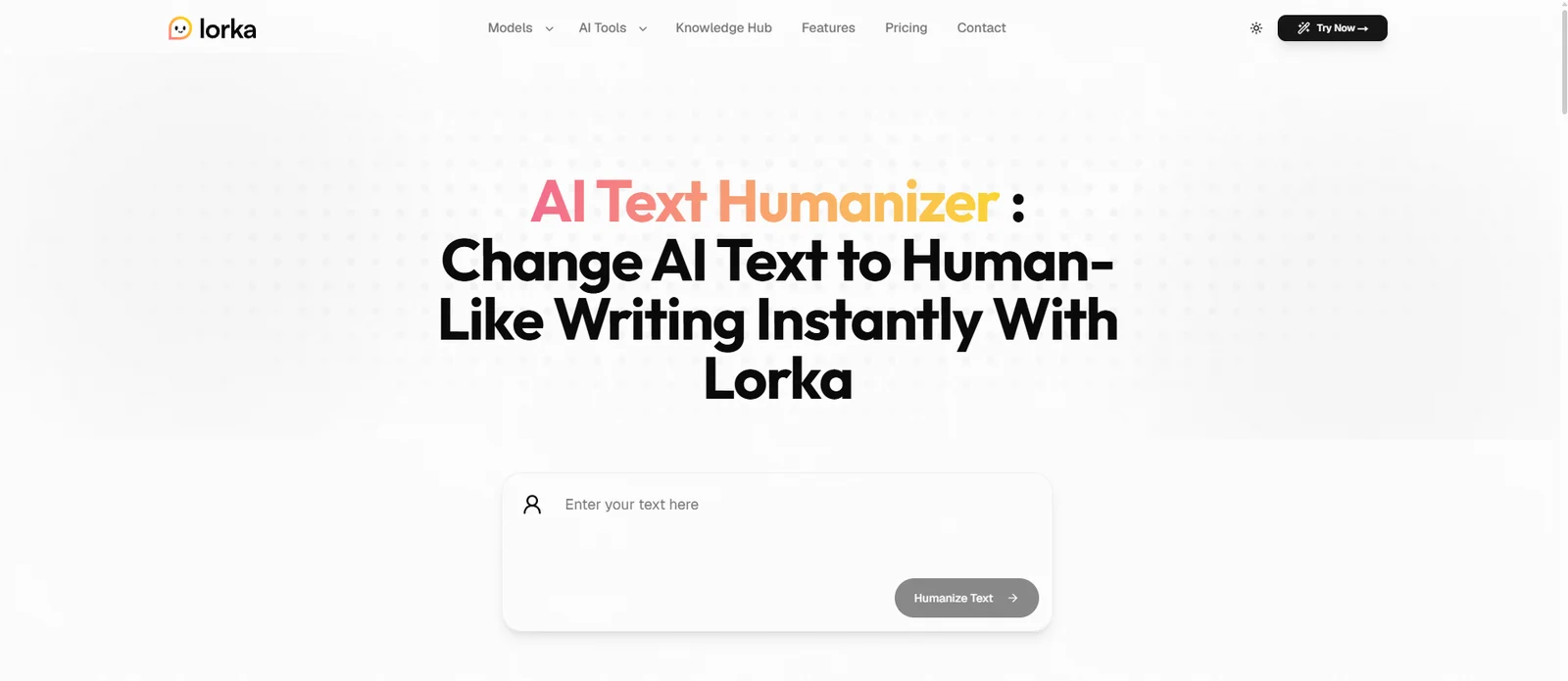
The humanizer is one page inside the Lorka app. It shows a running word and character count, a drop zone for documents, a Tone menu and a Humanize button.
Six tones
The Tone menu has six options: Professional, Casual, Friendly, Formal, Academic and Creative. Professional is the default. Casual and Friendly suit social posts and messages, Formal and Professional suit work documents, and Creative suits stories and marketing copy. Our guide to humanizing creative writing explains how to keep your own voice when you use a creative setting.
The Academic tone gives the rewrite a more formal register for essays and reports. If you only need to shift a casual draft into an academic register, our free academic tone converter does that one job without a subscription.
Uploading documents
You can paste text or drop a file in PDF, DOCX, TXT, MD, CSV or TSV format. That helps when your draft is already a Word file or a PDF export. The page shows a word and character count as you go, so you can see the length of what you're about to humanize.
How to use Lorka's humanizer
- Log in to the Lorka app and open AI Humanizer from the Tools menu.
- Paste your text or drop a PDF, DOCX, TXT, MD, CSV or TSV file into the box.
- Pick a tone from the menu.
- Click "Humanize" and read the result.
- Compare it with your original, especially names, numbers and quotations.
What else the Lorka subscription includes
Since you're paying for the whole bundle, the other tools decide whether Lorka is good value for you.
Several chat models in one thread
Lorka's main selling point is asking ChatGPT, Claude and other models the same question in one thread. For research, the two models have different strengths, which we compare in ChatGPT vs Claude for academic research. If you're unsure which model suits which part of a paper, our guide to the best AI model for each part of an academic paper breaks it down by section.
A common workflow is to draft with one model and then humanize the draft with Lorka's tool. A better one adds a step in the middle: ask a second model to check the argument and the facts, then humanize the version you've already checked. If that first draft comes from Claude, our guide on humanizing a Claude draft covers the patterns to look for before you run any humanizer.
PDF chat, translation and web search
The chat-with-PDF tool lets you ask questions about a paper or report and pull out its main points. Summaries of academic PDFs need care with references, and our guide to summarizing a PDF with AI without losing citations shows what to check. Lorka also has a translator and an AI-powered web search that summarizes what it finds.
Images and video on Max
Standard includes image generation and limited video generation. Max adds extended video generation and premium chat with more than 30 top-tier models, with up to 500 AI images and 50 AI videos a month. Lorka names Nano Banana and GPT Image among its image models and Veo, Kling, Sora and Seedance among its video models. Max also adds priority generation, cloud storage and a commercial-use license. For most writers, Standard's image generation is enough, and Max is aimed at people who make video every week.
How much does Lorka AI cost?
Lorka AI's Standard plan costs US$29.99 a month, and it includes the humanizer and all of Lorka's AI tools. Lorka shows prices in your local currency at checkout, and its Refund Policy says the final price can vary by location. Lorka's plans on 2 October 2026:
| Plan | Price | What it includes |
|---|---|---|
| Free | No charge | A free tier for your first message requests |
| Standard | US$29.99 a month | All AI models in the standard set, all AI tools including the humanizer, image generation and limited video generation |
| Max | Shown in local currency at checkout | Everything in Standard, extended video generation, 30+ premium chat models, up to 500 images and 50 videos a month |
Annual billing is also available, and Lorka says it saves 64% compared with paying monthly. On monthly billing, a year of Standard costs US$359.88.
I'd only choose Lorka for its humanizer if you'd also cancel at least one other AI subscription because of it. If you want the chat models anyway, the humanizer is a useful extra at no added cost.
Is Lorka AI worth it for you?
It depends on what else you'd use. Three common cases:
- A student who uses ChatGPT and Claude for study. Lorka can replace two separate chat subscriptions, and the humanizer, translator and PDF chat come with it. That's the case where Lorka makes the most sense.
- A freelancer or small business owner who needs text and images. The image generator, background remover and limited video on Standard cover social posts and pitches. The humanizer then smooths captions and emails.
- Someone who only wants a humanizer. You'd pay for chat models and media tools you don't need, and a dedicated humanizer is the better buy.
Lorka also has its own AI detector in the Tools menu, so you can check a humanized draft without leaving the app. Treat that result as one opinion, since different detectors often score the same text differently.
Lorka AI refund and cancellation policy
You can cancel in Settings under Manage subscription, which opens the Stripe customer portal, or by emailing info@lorka.ai. Cancel at least 72 hours before your next billing date to avoid the renewal charge, and you keep access until the paid term ends.
Lorka's Refund Policy says subscription fees are non-refundable as a rule. It may still grant a full or partial refund within 30 days of purchase, after a review of your case. That only applies if you've used fewer than 20 messages, 5 images or 1 video in that billing cycle. Lorka answers refund requests by email within 72 hours, and approved refunds reach your card within 10 days. Keep the order number from your confirmation email, since Lorka asks for it with every refund request. Renewals and requests based only on disliking the product aren't refunded.
Humanize Your Thesis Without a Chatbot Bundle
ProofreaderPro.ai's academic humanizer is designed to lower AI scores while citations and frozen terms stay in place, from US$19 a month.
See the academic humanizerLorka AI Humanizer vs. ProofreaderPro Humanizer
Lorka gives you a general humanizer with an Academic tone inside a large AI bundle. ProofreaderPro.ai is a dedicated academic editor whose humanizer protects citations and technical terms, with tracked changes on Academic Plus.
| Feature | ProofreaderPro.ai | Lorka AI Humanizer |
|---|---|---|
| Made for | Essays, theses and journal papers | Everyday writing inside a multi-model AI app |
| Tones or modes | General and Academic on Academic; General, Academic, Corporate, Creative and Blog/SEO on Academic Plus | Professional, Casual, Friendly, Formal, Academic and Creative |
| Citations | Keeps APA, MLA, Chicago, IEEE and Turabian formats | General rewrite |
| Price | US$19 or US$29 a month (US$169 or US$259 a year) | US$29.99 a month for Standard, with the chat models and tools |
The two prices are close at the top end, and you get different things for them. At US$29 a month, Academic Plus gives you 50,000 words a month for academic editing and humanizing, five intensity levels, freeze terms and 60+ languages. At US$29.99, Lorka gives you chat models, images and a general humanizer. For a thesis, the deciding feature is usually the tracked-changes file, because you can accept or reject each edit in Word. Our guide to proofreading a DOCX with tracked changes shows how that works.
Lorka AI Humanizer Alternatives
Lorka's closest alternatives are other all-in-one AI apps with a humanizer inside, and student suites that bundle writing tools. Monica is the nearest match, since it's also an AI assistant with many models and a humanizer.
| Tool | Best for | Our write-up |
|---|---|---|
| ProofreaderPro.ai | Academic writing with citations and field terms | Academic AI humanizer |
| Monica | An AI assistant with many models and a humanizer built in | Monica AI humanizer review |
| JustDone | A humanizer, detector and study tools in one plan | JustDone AI humanizer review |
| HIX Bypass | Writers who already use the HIX AI suite | HIX Bypass alternative |
| Smodin | A multilingual suite of student writing tools | Smodin alternative |
| Conch AI | Notes, flashcards and a writing assistant in one app | Conch AI alternative |
| QuillBot | Paraphrasing and humanizing without a chat subscription | QuillBot humanizer write-up |
Lorka AI vs Monica
Both put several chat models and a humanizer into one subscription. Lorka is a single web app with tools, images and video. Monica runs as a browser extension, desktop and mobile apps and a web app, so it follows you onto the pages you visit. If you work mostly in the browser, Monica is the more natural fit. If you want one app for chat, files and media, Lorka covers more of that.
Lorka AI vs Claude
Claude is Anthropic's own assistant, and Lorka is one of several ways to reach Claude models. Using Claude directly gives you Anthropic's own app and features. Lorka gives you Claude next to ChatGPT, Gemini and others, plus the humanizer and media tools, under one bill. If you rely on Claude for long documents, compare the usage limits on each plan before you switch, since an aggregator sets its own rules.
Frequently asked questions
Q: Is Lorka AI free?
Lorka AI has a free tier for your first message requests, according to its Refund Policy. Continued use, including the humanizer, needs a paid plan starting at US$29.99 a month.
Q: Is Lorka AI good for humanizing essays?
It's fine for polishing the tone of an essay draft, since it has an Academic tone and accepts Word and PDF files. For cited academic work, check every reference after the rewrite, or use a humanizer built to keep citations in format.
Q: Is Lorka AI legit?
Yes. Lorka AI is a real subscription service run by Palatine Global Capital LLC, with a published Refund Policy, Terms of Use and a support address at info@lorka.ai.
Q: Is Lorka AI the same as Claude?
No. Lorka AI is a separate platform that gives you access to Claude models alongside ChatGPT, Gemini and others. Lorka says it has no affiliation with the companies that make those models.
Q: What tones does Lorka's humanizer have?
Lorka's humanizer has six tones: Professional, Casual, Friendly, Formal, Academic and Creative. Professional is selected by default.
Q: Can I upload a document to Lorka's humanizer?
Yes. You can drop a PDF, DOCX, TXT, MD, CSV or TSV file instead of pasting text, and the page shows a word and character count.
Q: How much is Lorka AI?
The Standard plan costs US$29.99 a month. Lorka also offers a Max plan with extended video and premium chat, priced in your local currency, and annual billing that Lorka says saves 64%.
Q: Is Lorka AI worth it?
Lorka AI is worth it if you'd use several chat models and its image and video tools, since the humanizer comes bundled with them. For humanizing alone, a dedicated humanizer costs less.
Q: Does Lorka AI offer refunds?
Only in limited cases. Lorka may refund within 30 days of purchase if you've used fewer than 20 messages, 5 images or 1 video in that billing cycle, after reviewing your request.
Q: How do I cancel my Lorka AI subscription?
Go to Settings, open Manage subscription and cancel in the Stripe customer portal, or email info@lorka.ai. Do it at least 72 hours before your next billing date, and you keep access until the term ends.
An academic humanizer with citation protection, five modes on Academic Plus and Word export with tracked changes.

Dana is a content creator at ProofreaderPro, where she runs the daily blog and writing operations. She writes the articles on how the online editing platform works, and she handles customer messages every day, with a five-star satisfaction score to show for it.