How to Write an Annotated Bibliography: Format and Examples
How to write an annotated bibliography: what each annotation needs, APA and MLA format, a worked example and the evaluation sentences markers look for.

To write an annotated bibliography, list each source in your course's citation style and write a short paragraph under it. That paragraph, the annotation, summarizes the source and says how useful it is for your topic. Most annotations are 100 to 200 words, and your assignment brief sets the exact length and the balance of summary and evaluation.
The format is quick to learn once you've done one entry. The evaluation takes more work, because you have to say what a source does well, where it's limited and why it belongs in your project. Instructors grade that part most closely, since it shows you've read the source and thought about it.
What is an annotated bibliography?
An annotated bibliography is a list of sources in which each citation is followed by a short paragraph called an annotation. A plain bibliography or reference list gives the citation only. The annotation adds what the source is about and, in most assignments, how strong and how relevant it is.
Instructors set annotated bibliographies early in a project, before the essay or thesis exists. The list shows them you've found suitable sources, and writing each annotation makes you read closely enough to describe a source in your own words. Researchers keep annotated lists for the same reason. Thirty annotated sources are much easier to turn into a literature review than a folder of thirty PDFs.
You'll usually meet the annotated bibliography in one of these forms:
- A standalone assignment with a set number of sources on one topic.
- A section of a research proposal or thesis plan that shows your supervisor the literature you'll build on.
- A working document you keep for yourself in a reference manager while you read.
The four types of annotation
Annotations differ in how much they describe and how much they judge. Check which type your brief asks for, because a descriptive annotation handed in for an evaluative assignment loses marks even when it's well written.
| Type | What it does | Common length | Where you'll see it |
|---|---|---|---|
| Descriptive (indicative) | Says what the source covers and its scope, without the findings | 50 to 100 words | Short source lists and early project plans |
| Summary (informative) | Gives the research question or argument, the method and the main findings | 100 to 150 words | Courses that check your reading |
| Evaluative (critical) | Summarizes the source, then judges its strengths, limits and reliability | 150 to 200 words | Most university assignments |
| Combined | Summary, evaluation and a sentence on how the source fits your project | 150 to 250 words | Thesis plans and graduate seminars |
When a brief says only "annotated bibliography" with no other detail, it usually means the combined type. If the brief doesn't say, ask your instructor before you write twenty entries in the wrong shape.
What to include in an annotation
A full annotation covers five things about the source. A short descriptive annotation stops after the first two or three.
| Part | What it covers | Example opening |
|---|---|---|
| Purpose | What the authors set out to test or argue | "The authors test whether..." |
| Method | How they did it, and with what evidence | "Drawing on interviews with 40 nurses..." |
| Findings | What they found or concluded | "They report that..." |
| Evaluation | How strong the evidence is, and where its limits are | "The sample comes from one hospital, so..." |
| Relevance | How the source helps your project | "I use this study in my section on..." |
Write the annotation in your own words and keep the citation exactly as your style requires. Copying the abstract, even with a few words changed, is one of the most common reasons annotations lose marks, and it can count as plagiarism. Our guide on paraphrasing without plagiarism shows how to restate an author's point accurately.
How to write an annotation in five steps
- Read the abstract, introduction and conclusion first. These sections state the purpose and the main result, so you know what to look for in the rest of the source.
- Note the method and the evidence. Write down the sample, the data or the archive the authors used. Your evaluation will rest on these details.
- Write the summary in two or three sentences. Close the paper first and work from your notes, so the wording comes out as yours.
- Add one or two sentences of evaluation. Name a strength or a limit, such as the sample size, the date, the setting or how the main outcome was measured.
- Finish with relevance. Say which part of your project the source supports, or how it compares with another source on your list.
Then check the length against your brief and the citation against your style guide. If you have the DOI, the free DOI to citation converter builds the reference from the metadata the publisher registered. That avoids typing errors in author names, volume numbers and pages.
Annotated bibliography format in APA 7 and MLA 9
The layout is close in both styles. Sources go in alphabetical order by the first author's surname, the whole list is double-spaced, and each citation has a hanging indent. The annotation starts on a new line under its citation and is indented as a block.
| APA 7 | MLA 9 | |
|---|---|---|
| Page title | Annotated Bibliography, centered and bold like other APA labels | Annotated Bibliography or Annotated List of Works Cited, centered |
| Order | Alphabetical by the first author's surname | Alphabetical by the first author's surname |
| Spacing | Double-spaced throughout | Double-spaced throughout |
| Citation | 0.5-inch hanging indent | 0.5-inch hanging indent |
| Annotation | A new paragraph under the reference, indented 0.5 inch from the left margin | A new line under the entry, indented as a block |
| Author names | Surname and initials | Full name of the first author, surname first |
To set a hanging indent in Word, open Paragraph, choose Special and pick Hanging at 0.5 inch. In Google Docs, open Format, then Align and indent, then Indentation options, and choose Hanging as the special indent. For the annotation, raise the left indent of that paragraph by 0.5 inch.
Our APA 7 citation guide and MLA 9 citation guide cover the citation rules for each source type, including books, chapters and websites.
Annotated bibliography example in APA 7
This example has two entries on laptop and handwritten note-taking. The second study repeated part of the first, so the annotations show how evaluation and relevance can link one source to another. In your document, each reference has a hanging indent and the annotation is indented underneath it.
Entry 1: the original study
Mueller, P. A., & Oppenheimer, D. M. (2014). The pen is mightier than the keyboard: Advantages of longhand over laptop note taking. Psychological Science, 25(6), 1159-1168. https://doi.org/10.1177/0956797614524581
Mueller and Oppenheimer ran three experiments to test whether taking lecture notes on a laptop or by hand changes how much students learn. Students watched recorded lectures, took notes one way or the other and then answered factual and conceptual questions. Laptop note-takers wrote more words and copied more of each lecture verbatim, and they scored lower on the conceptual questions. The authors argue that writing by hand makes students put ideas in their own words as they listen. The pattern held across more than one experiment, which makes the result more convincing. All participants were students at two US universities, and the lectures were short, so the findings may not carry over to a full course. I use this study to open my section on note-taking methods.
Entry 2: the replication
Morehead, K., Dunlosky, J., & Rawson, K. A. (2019). How much mightier is the pen than the keyboard for note-taking? A replication and extension of Mueller and Oppenheimer (2014). Educational Psychology Review, 31(3), 753-780. https://doi.org/10.1007/s10648-019-09468-2
Morehead and colleagues repeated one of Mueller and Oppenheimer's experiments and added a third group that wrote notes on an e-writer, a digital device for handwriting. Students again watched a lecture, took notes and answered factual and conceptual questions. The differences between longhand and laptop note-takers were smaller and less consistent than in the 2014 paper. A direct replication is a strong test of an earlier claim, so this study is good evidence against the popular summary that handwriting is always better. It still uses short lectures in a lab setting. Read together, the two studies support my argument that the evidence on note-taking method is less settled than students are often told.
In the finished list, the two entries appear in alphabetical order, so Morehead comes before Mueller. Each annotation goes directly under its own reference.
The first entry in MLA 9
Mueller, Pam A., and Daniel M. Oppenheimer. "The Pen Is Mightier Than the Keyboard: Advantages of Longhand over Laptop Note Taking." Psychological Science, vol. 25, no. 6, 2014, pp. 1159-68, https://doi.org/10.1177/0956797614524581.
The annotation stays the same in MLA. Only the citation changes: MLA gives the first author's full name, puts the article title in quotation marks with title case, and labels the volume, issue and pages.
Draft the descriptive part from real abstracts
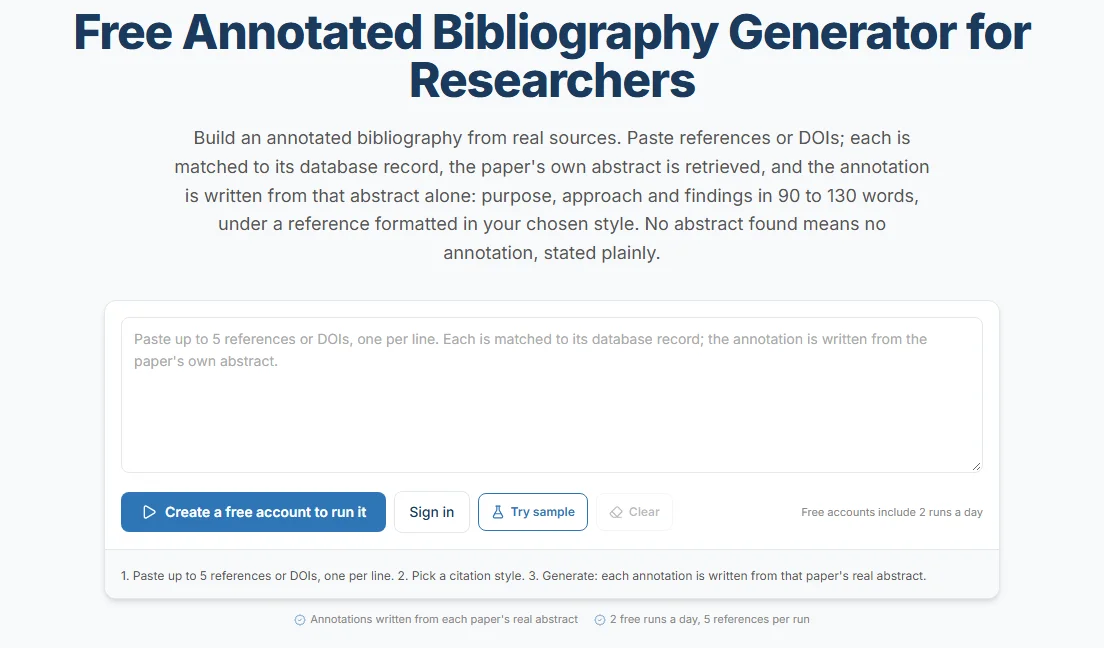
Paste up to five references or DOIs and get a summary of each paper written from its own abstract, under a reference in your chosen citation style.
Try the annotated bibliography generatorHow long should an annotation be?
Most annotations are 100 to 200 words, which is one paragraph. A brief that asks for critical annotations usually expects the longer end, and a quick descriptive list can run to 50 words per entry.
Length follows the job. If the bibliography feeds a thesis chapter, keep longer private notes for yourself and trim each annotation to the required length for submission. A word counter that shows each paragraph's count makes trimming quicker when the brief sets a strict limit.
Annotated bibliography vs literature review
An annotated bibliography discusses sources one at a time, while a literature review groups sources by theme and builds an argument from them. Many projects use both. The annotated bibliography comes first, and the review is written from it.
| Annotated bibliography | Literature review | |
|---|---|---|
| Unit | One source per entry | Themes, debates or methods across sources |
| Order | Alphabetical | Organized to support an argument |
| Evaluation | Each source on its own | Sources compared with each other |
| Your voice | Short judgments per source | A sustained argument that leads to a research gap |
| Typical use | Early in a project | A chapter or section of the final paper |
Our literature review guide covers the step from source notes to a synthesis organized by theme.
Sentence starters for the evaluation and relevance sentences
The evaluation is the part most students find hardest to start. These openings give you a structure, and the content has to come from your own reading of each source.
Openings for a strength
- "The large national sample makes the findings easier to generalize than..."
- "The authors use archival records from three countries, which allows a comparison that..."
- "Because the study follows the same participants for five years, it can show..."
Openings for a limit
- "The study predates the 2020 policy change, so..."
- "All participants were recruited online, which may exclude..."
- "The authors measure engagement with a single survey item, so the results..."
Openings for relevance
- "This source gives me the definition of resilience I use in my second chapter."
- "Unlike [another source on your list], this study finds..., which I address in my section on..."
- "I use this paper as background only, because its sample differs from mine."
Common annotated bibliography mistakes
| Mistake | Why it costs marks | Fix |
|---|---|---|
| Copying or lightly editing the abstract | It shows no reading and can count as plagiarism | Write the summary from your notes with the paper closed |
| Summary only when the brief asks for evaluation | The graded part is missing | Add a strength or limit and a relevance sentence to each entry |
| Mixed citation styles or formats | Markers read it as carelessness | Pick one style and check every entry against it |
| Entries out of order | APA and MLA lists are alphabetical | Sort the list with the free reference alphabetizer |
| Sources that don't exist | References copied from chatbot answers can point to papers nobody wrote | Check every entry with the AI Citation Checker |
| Annotations that never mention your topic | Relevance is part of most rubrics | End each annotation with how the source fits your project |
Take extra care with any reference you didn't find yourself. A reference copied from a chatbot answer can look correct and still point to a paper that doesn't exist. Our hallucinated-citation audit explains how to check a list like that, entry by entry, before you hand it in.
Using AI tools for an annotated bibliography
AI tools can help with the descriptive half of an annotation, and course policies on AI help differ, so check yours before you use one. Whatever the policy, the evaluation and relevance sentences have to come from your own reading, because they are the part the assignment assesses.
The ProofreaderPro.ai annotated bibliography generator works from real sources. You paste up to five references or DOIs per run. Each one is matched to its record in open scholarly databases such as Crossref and Semantic Scholar, and the paper's own abstract is retrieved. The tool then writes a descriptive annotation of about 90 to 130 words from that abstract alone. The reference above it can be in APA 7, MLA 9, Chicago (both systems), Harvard, IEEE or Vancouver.
When the databases have no abstract for a source, you get the formatted reference with a note and no summary. You need a free ProofreaderPro.ai account, and each day gives you 2 runs. You then add the evaluation and relevance sentences yourself and check each summary against the full paper.
If you work with a chatbot, give it your own notes and the source's details, and tell it to use nothing else. Our academic writing prompts include one for an annotated bibliography entry written that way.
Frequently asked questions
Q: What is the difference between a bibliography and an annotated bibliography?
A bibliography lists the sources you used or consulted, with full citations. An annotated bibliography adds a paragraph under each citation that summarizes the source and, in most assignments, evaluates it and explains how it fits your topic.
Q: How many sources should an annotated bibliography have?
Use the number your brief asks for. Course assignments often ask for 5 to 10 sources, while a thesis plan can list 30 or more. Choose sources you'll use in the project, since each one needs a careful annotation.
Q: Should an annotated bibliography be in alphabetical order?
Yes, in APA and MLA the entries go in alphabetical order by the first author's surname. Some instructors ask you to group sources by theme or by chapter instead, so follow the brief when it says so.
Q: Can I use "I" in an annotated bibliography?
Usually yes, in the evaluation and relevance sentences. APA 7 accepts the first person, and "I use this study for..." is clearer than a passive phrase. Check your instructor's preference, since some courses ask for the third person throughout.
Q: Is an annotation one paragraph?
Usually it is. Short and medium annotations are a single paragraph of 100 to 200 words. Long critical annotations for graduate work can run to two paragraphs, with the summary in the first and the evaluation in the second.
Q: What is an evaluative annotation?
An evaluative annotation summarizes a source and then judges it. It names strengths and limits, such as the sample, the date or the method, and often says how the source compares with others on the topic.
Q: Do I need to read the whole source to annotate it?
You should read enough to describe the argument and judge the evidence. For a research article, that means the abstract, introduction, methods, results and conclusion at minimum. An annotation written from the abstract alone usually misses the limits that the evaluation needs.
Q: Can I use an AI tool for an annotated bibliography?
Many courses allow AI help with drafting summaries if you disclose it, so check your policy first. The evaluation and relevance sentences should come from your own reading. Check every AI-produced reference against the source itself, because chatbots can invent citations.
Q: How do I make a hanging indent for an annotated bibliography?
In Word, open Paragraph, choose Special and select Hanging at 0.5 inch. In Google Docs, open Format, then Align and indent, then Indentation options, and set the special indent to Hanging. Indent each annotation as a block under its citation.
Paste your reference list and check that every entry is a real publication, matched against Crossref and Semantic Scholar, before you hand it in.

Lisa holds a PhD in linguistics from NYU, and has always been curious about how computers can leverage applied linguistics to understand and communicate in human language and assist with editing human written content. She is currently the Chief Marketing Officer at ProofreaderPro, where she leads marketing across copy, social media, email, and offline channels.