Best AI Tools for Proofreading Academic Papers in 2026
Compare the best AI tools for proofreading academic papers in 2026: citation handling, tracked changes in Word, editing depth, free plans and prices.

We tested eleven of the best AI proofreading tools on a corpus of 50 academic manuscripts. We ran real journal papers, thesis chapters, and conference submissions through every tool on this list and had two experienced academic editors score the results blind.
The ranking reflects one main question: which tool does the best job for editing academic research papers? General writing, emails, and student essays are outside the scope of this test. We intentionally only included academic research papers with citations, technical terms, formal register.
We compare all eleven tools first, then the second half of the guide covers AI proofreading tools in general: what makes one academic-grade, pricing, and how to get the best results from whichever tool you choose.
The verdict at a glance: ProofreaderPro.ai is the best AI proofreading tool for academic writing in 2026. It is the only tool in our 11-tool test built for research papers end to end, with citation-aware editing and tracked-changes export to Word. Grammarly remains the strongest pick for general everyday writing, and QuillBot for paraphrasing.
| Tool | Best for | Academic focus | Tracked changes to Word | Languages |
|---|---|---|---|---|
| ProofreaderPro.ai | Academic research papers | Yes | Yes, .docx export | 50+ |
| Grammarly | Everyday and business writing | No | No | English only |
| QuillBot | Paraphrasing | No | No | 33 |
| Trinka | ESL academic and technical writing | Partial | In downloaded file | English focus |
| Wordvice AI | Quick correction passes | Partial | No | English focus |
| Scribbr AI Proofreader | Pre-submission checks | Partial | No | English focus |
| ProWritingAid | Long-form writing analysis | No | No | Limited |
| LanguageTool | Multilingual proofreading | No | No | 30+ |
| Ginger | General English correction | No | No | English focus |
| Hemingway Editor | Readability | No | No | English only |
| Wordtune | Sentence-level rewrites | No | No | English focus |
The detailed reviews, scores, and pricing follow.
1. ProofreaderPro.ai: Best for academic research
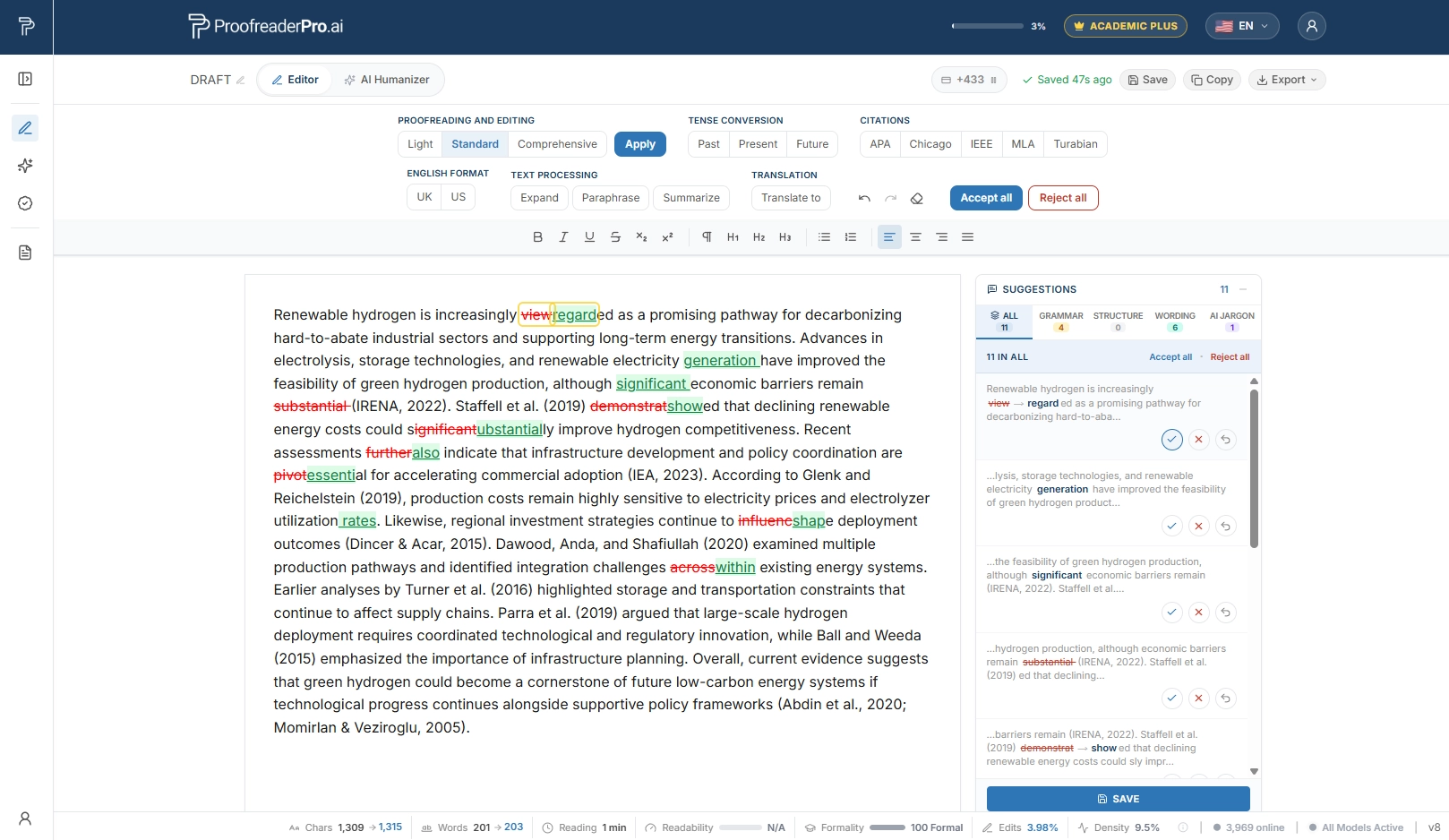
Yes, we're biased. We built it. But the testing results back this ranking, and we'll show our reasoning below.
ProofreaderPro.ai is the only tool on this list built specifically for academic papers. Every feature (three editing modes, citation format preservation, discipline-specific corrections, multilingual support, tracked changes .docx export) exists because researchers asked for it. It started out as a simple academic proofreader and editor we used to refine our own research papers before publication a few years ago. It gradually spread to other researchers, and we continuously added new features and updated it based on their requests. Currently, it is used by an international research community of over 84,000 researchers.
What it does well: Catches grammar, structure and style errors with academic context awareness. Recognizes APA, MLA, Chicago, IEEE, and Turabian citations and leaves them intact. Exports edits as tracked changes in Word document. Includes AI text humanization, academic paraphrasing, summarization, translation, and tense conversion. Supports 50+ languages.
Best for: Researchers, PhD students, ESL academics, and anyone whose primary output is journal papers, theses, or dissertations.
Weaknesses: No browser extension. You currently work in a dedicated editor. Relatively newer brand with less market recognition compared to Grammarly.
2. Grammarly: Suitable for general everyday and business writing
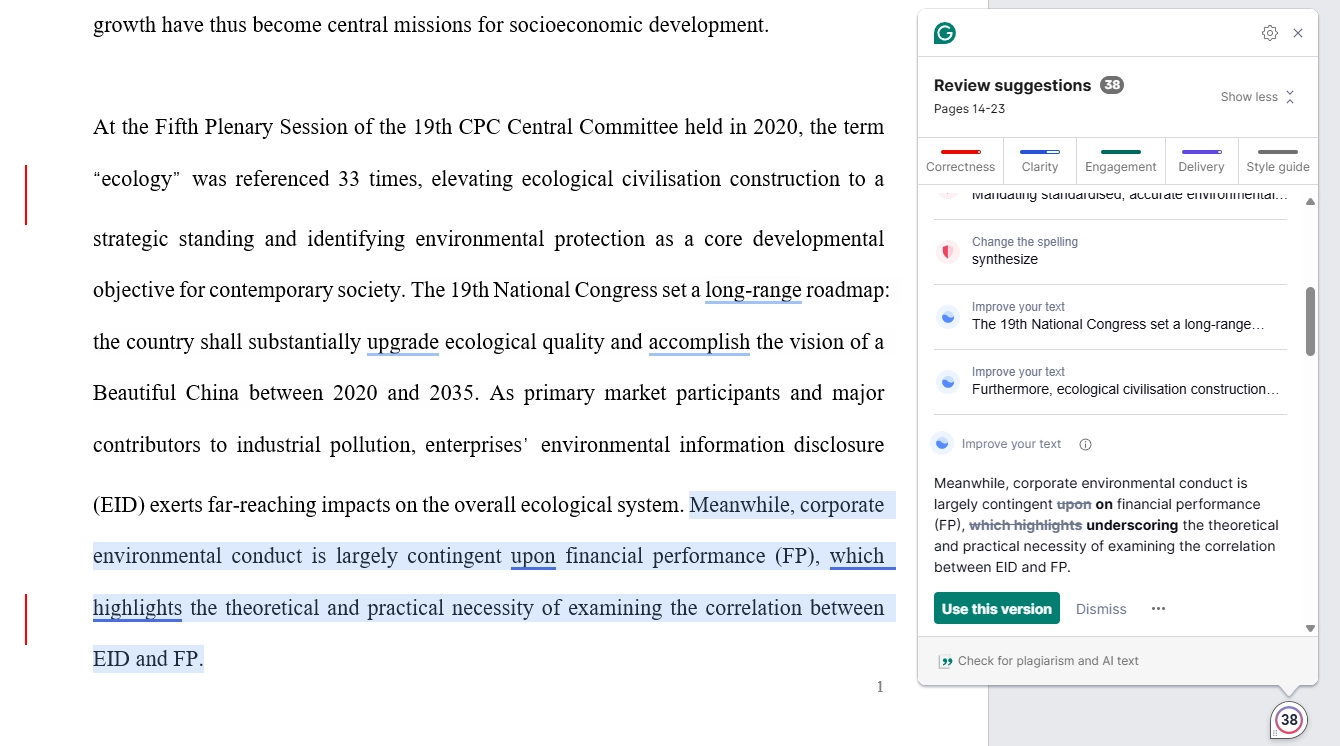
Grammarly is a widely used writing assistant, and that reputation is earned. The browser extension works everywhere, whether in Gmail, Google Docs, LinkedIn, Slack. Real-time corrections appear as you type. The interface is polished and intuitive.
What it does well: Catches grammar, spelling, and punctuation errors accurately. Tone detection and formality suggestions are useful for professional writing. The Chrome extension integrates into virtually every text field on the web. The free tier provides value for basic corrections as well.
Best for: Professionals who write on multiple platforms on a daily basis, whether emails, reports, presentations, social media. Business writers and content marketers.
Weaknesses: Limited citation awareness - flagged properly formatted APA citations as errors in 30% of our test cases. No tracked changes export. English only. No AI humanization. Suggestions sometimes push academic text toward conversational tone, which is not good for academic editing. On recent tests, it was seen to actually increase the AI score after its edits were applied. Makes sense, since it uses AI integration to perform edits.
3. QuillBot: Good for paraphrasing
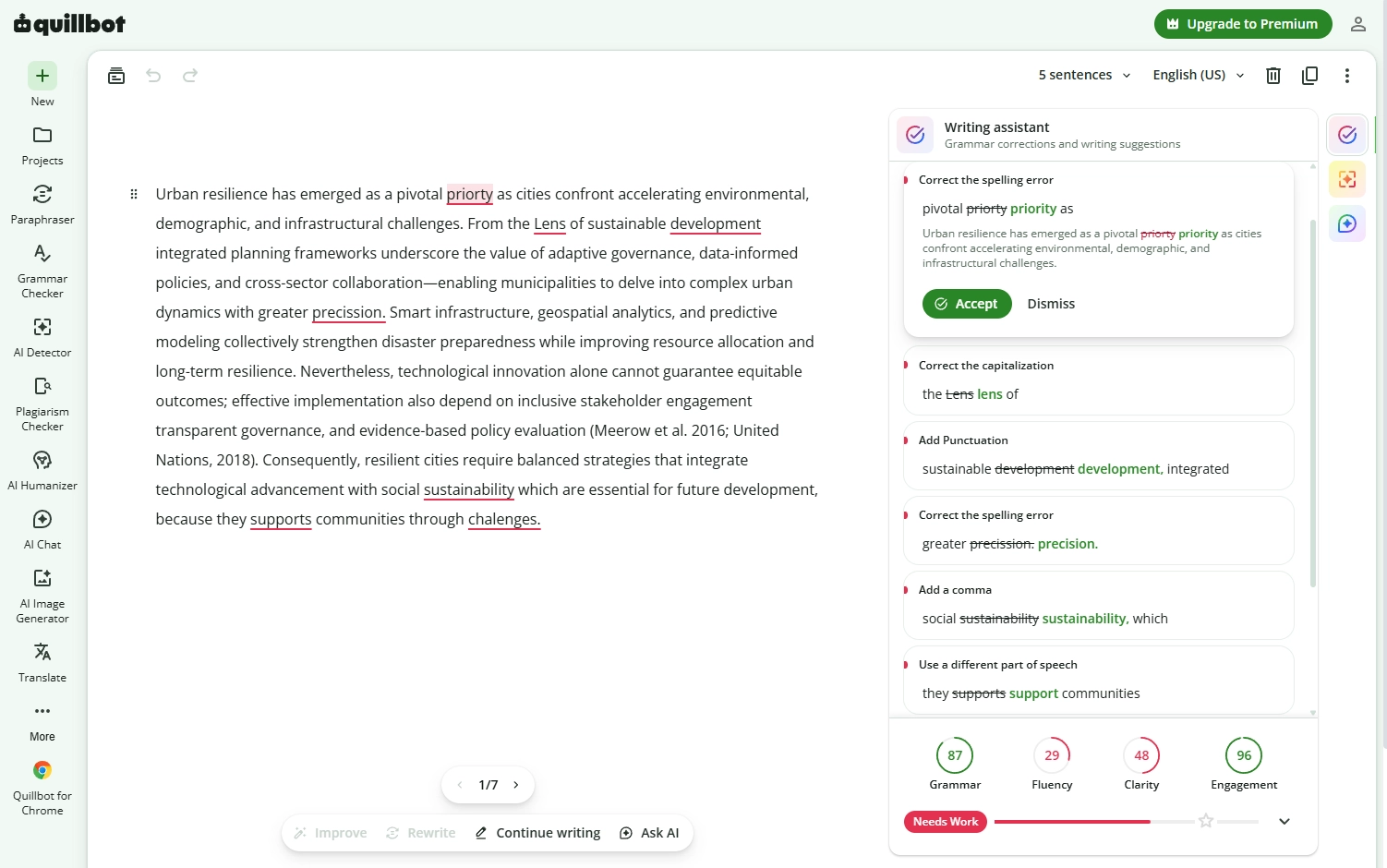
QuillBot's paraphrasing engine is its main standout feature. Eight modes, Standard, Fluency, Creative, Formal, Simple, Expand, Shorten, and Custom, give you granular control over how aggressively your text gets rephrased. For content writers who need to rephrase text across different registers, nothing else offers this range.
What it does well: Paraphrasing with multiple style modes. Clean and simple interface with a slider for choosing the rewrite intensity. Grammar checker included. Summarizer tool bundled in.
Best for: Students working on literature reviews, content writers needing text variations, anyone whose primary need is paraphrasing rather than proofreading.
Weaknesses: Altered established academic terminology in 25% of our test passages. Citation handling is unreliable: references were moved or dropped in 40% of citation-heavy passages. No tracked changes export. No AI humanization. Grammar checker is basic compared to dedicated tools. Limited academic awareness. Using it heavily tends to increase AI score, and Turnitin sees its edits as "AI-paraphrased content."
4. Trinka: Suitable for ESL academic and technical writing
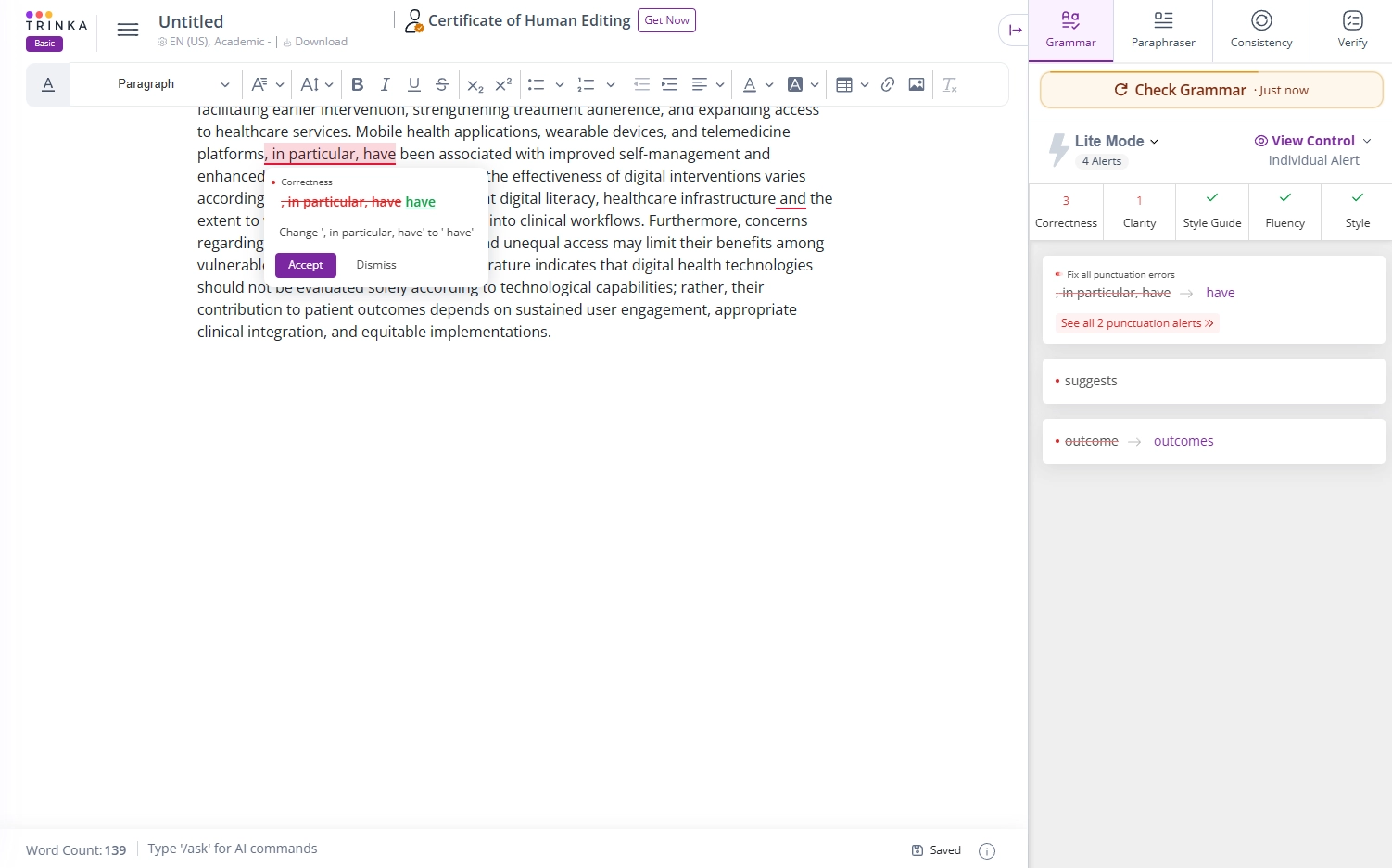
Trinka comes closer to the academic brief than most tools on this list. It was built for academic and technical writing, and it shows: the checker targets the grammar patterns common in research prose, suggests discipline-appropriate phrasing, and includes publication-readiness checks aimed at journal submissions.
What it does well: Academic style suggestions, including formal register, hedging, and sensitive-language checks. Style guide awareness for APA and AMA. A Word add-in, and a proofread-file mode that returns your document with edits marked. Consistency checks across a manuscript.
Best for: ESL researchers who want an academic-leaning grammar checker with journal-oriented checks as a second opinion.
Weaknesses: English-focused, with limited multilingual coverage. Suggestions run conservative: safe corrections rather than substantive editing. No AI humanization, so a draft that needs its AI detection score lowered is outside its scope. The interface lags behind newer editors.
5. Wordvice AI: Suitable for quick correction passes
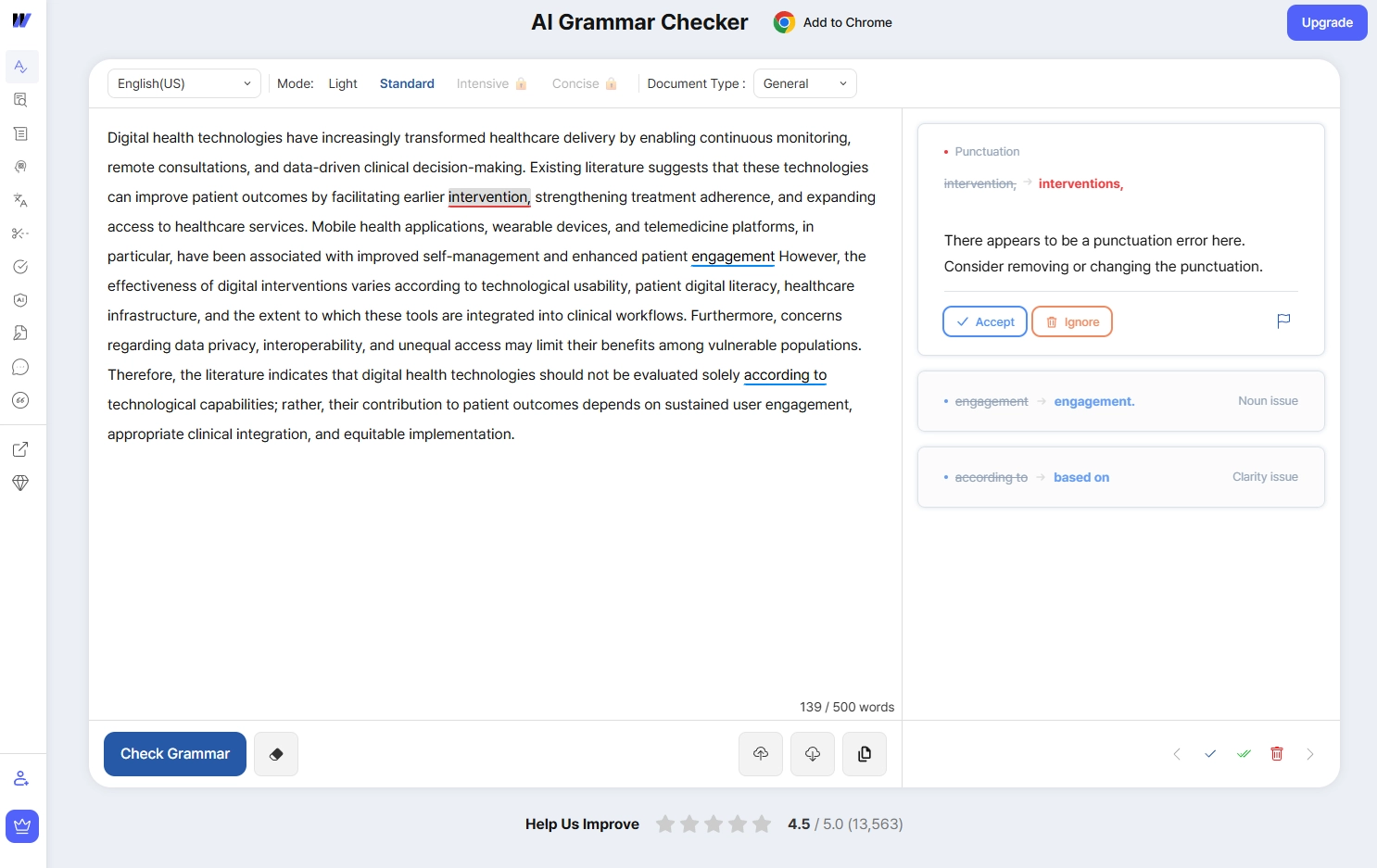
Wordvice AI grew out of a human editing service for academic manuscripts, and the proofreader keeps that orientation. You pick a document type and an editing mode, and the checker returns corrections with short explanations. Light and Standard modes are open; Intensive and Concise sit behind the paid tier.
What it does well: Correction explanations that help you learn the pattern, and a document-type setting that adjusts the register. Multiple editing modes. Integrations for Word, Google Docs, and Chrome. A wider suite with a paraphraser, summarizer, and translator.
Best for: Researchers who want a quick correction pass with reasoning attached, or who already use Wordvice's human editing services.
Weaknesses: The free checker caps out at short passages, and the stronger modes are paid. Corrections are accepted inside the web editor; there is no tracked-changes .docx export. Citation handling is basic, and there is no AI humanization.
6. Scribbr AI Proofreader: OK for pre-submission checks
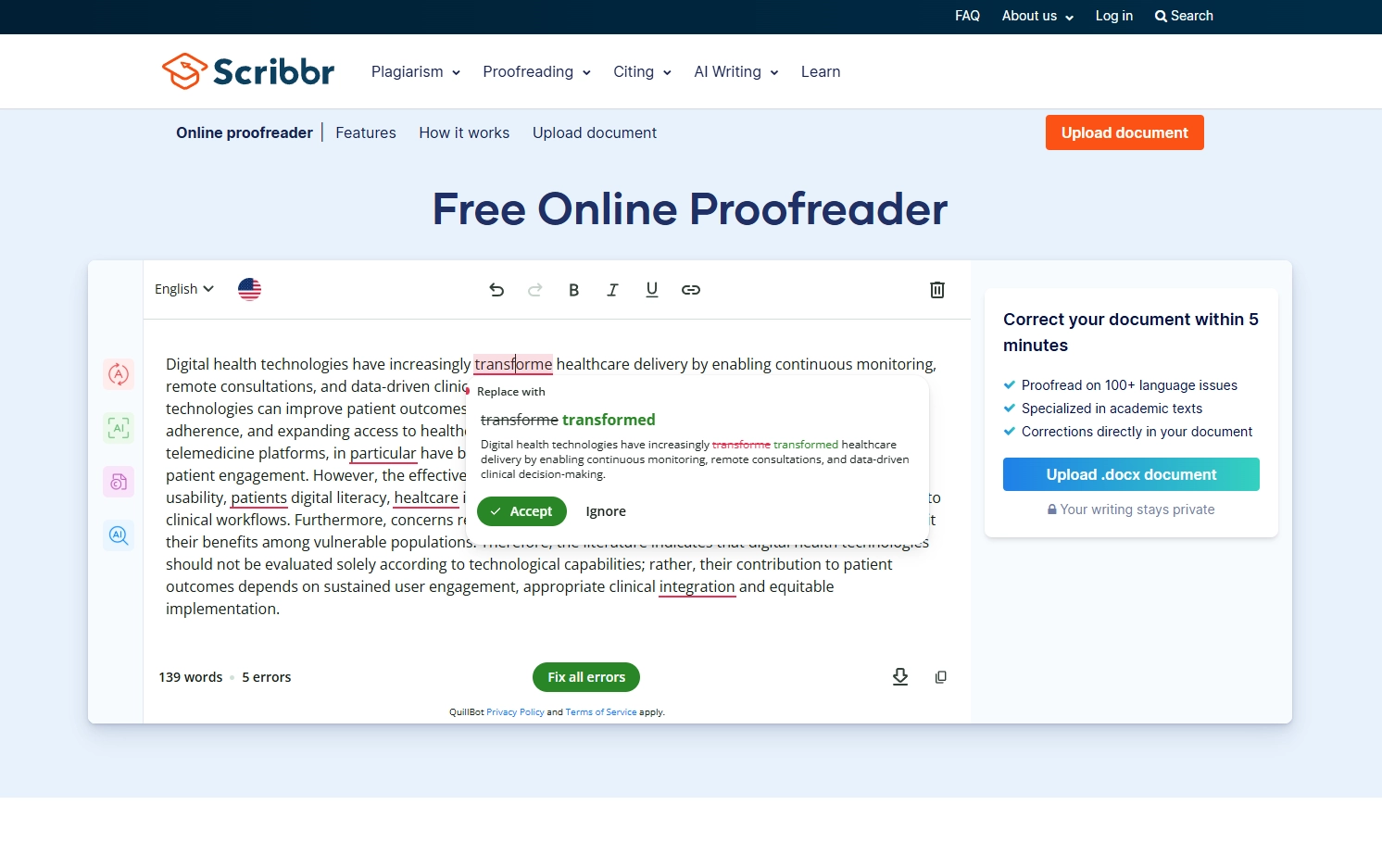
Scribbr is known for human proofreading and citation resources, and its free AI proofreader applies the same academic positioning to an automatic checker. Paste or upload a document and it corrects grammar, spelling, and basic style directly in the text.
What it does well: Fast, simple checks with corrections applied in your document, including .docx upload. Sits inside a wider academic ecosystem: citation generator, plagiarism checker, AI detector, and human editing services.
Best for: Students who already use Scribbr's citation or plagiarism tools and want a quick pass before submission.
Weaknesses: The automatic checker covers surface errors; for deeper editing Scribbr points you to its paid human services. Fewer editing depth options than dedicated academic editors, and no AI humanization. The workflow does not match a tracked-changes review in Word.
7. ProWritingAid: Good for long-form writing analysis
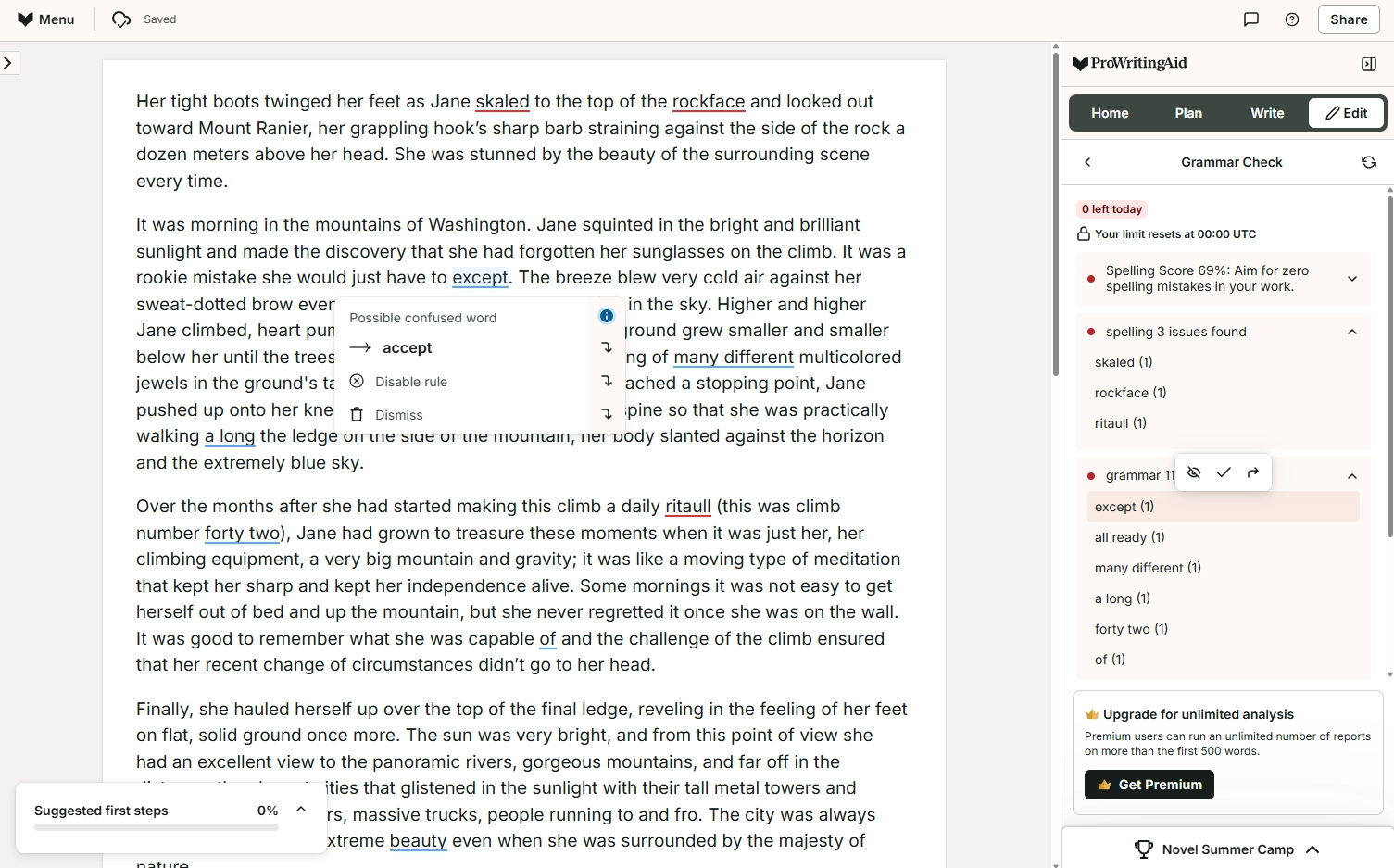
ProWritingAid takes a different approach than most tools on this list. Instead of just correcting errors, it provides detailed reports on your overall writing. Readability scores, sentence length variation, overused words, pacing analysis. For writers working on book-length manuscripts, these analytics are insightful.
What it does well: Deep writing analytics and style reports. Visualizes sentence structure, readability, and pacing patterns. Good integration with Scrivener and Word. Catches grammar errors reliably. Lifetime purchase option eliminates subscription fatigue.
Best for: Novelists, long-form non-fiction writers, writers who want style analytics, anyone who values writing reports over quick corrections.
Weaknesses: Not built for academic papers specifically: no citation handling or discipline-specific corrections. Reports can be overwhelming and time-consuming to read. Interface feels dated compared to newer tools. No AI humanization. No tracked changes export in the academic editing sense. Limited multilingual support.
8. LanguageTool: Suitable for multilingual proofreading
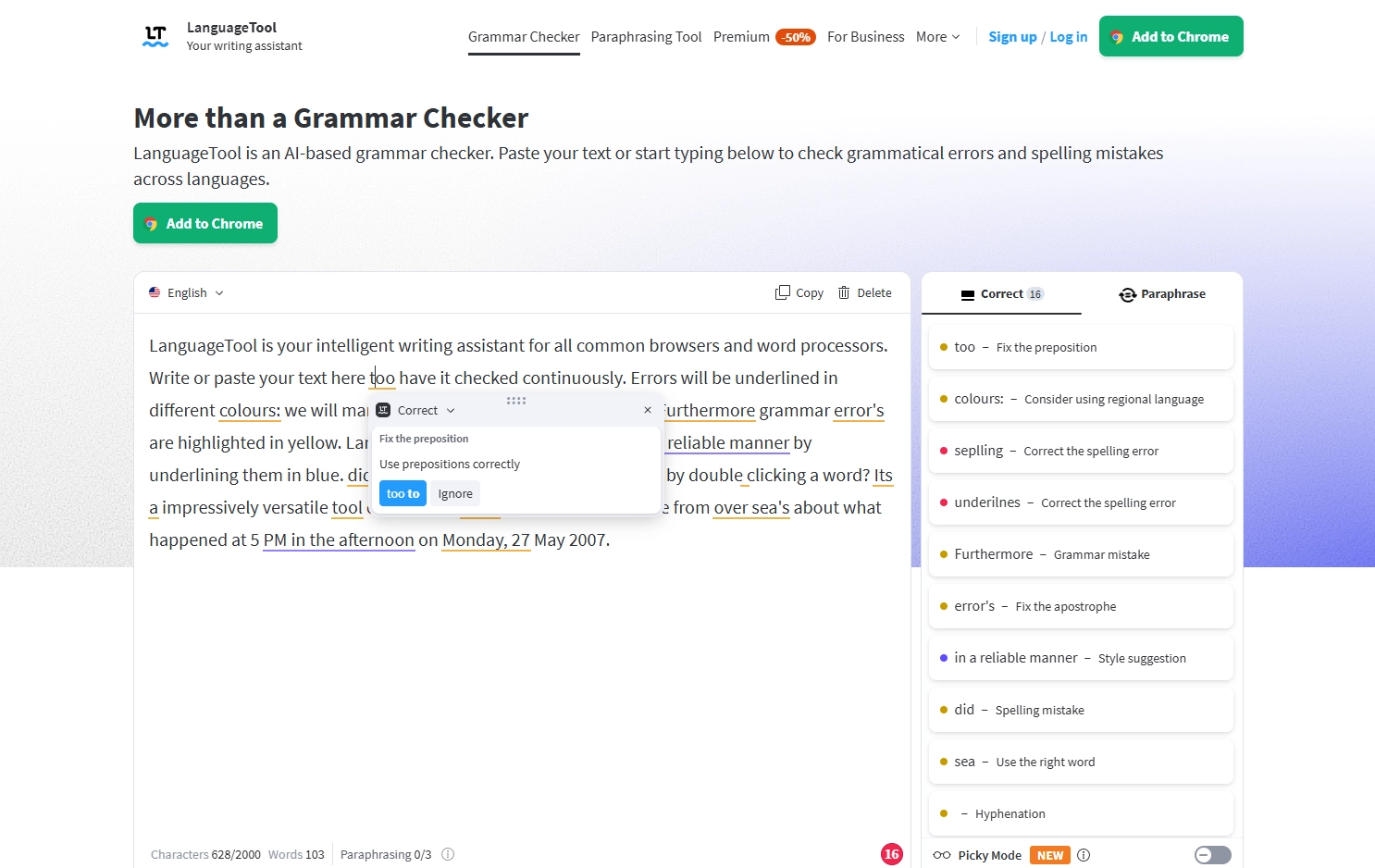
LanguageTool checks grammar, spelling, and punctuation in more than 30 languages, with dedicated rules per language. A Picky Mode raises the bar on style and typography when a text needs to be extra formal, and a built-in paraphraser offers formal and simple rewrites.
What it does well: Real multilingual coverage, including German, French, Spanish, and Dutch academic writing. Browser extension and word processor integrations. Picky Mode for stricter checking. An open-source core with an active community.
Best for: Researchers who write academic text in languages other than English, or who move between languages in one workflow.
Weaknesses: Academic awareness in English is limited: no citation handling, no discipline vocabulary protection, and no tracked-changes export. Style suggestions stay at the sentence surface. No AI humanization.
9. Ginger: OK for general English correction
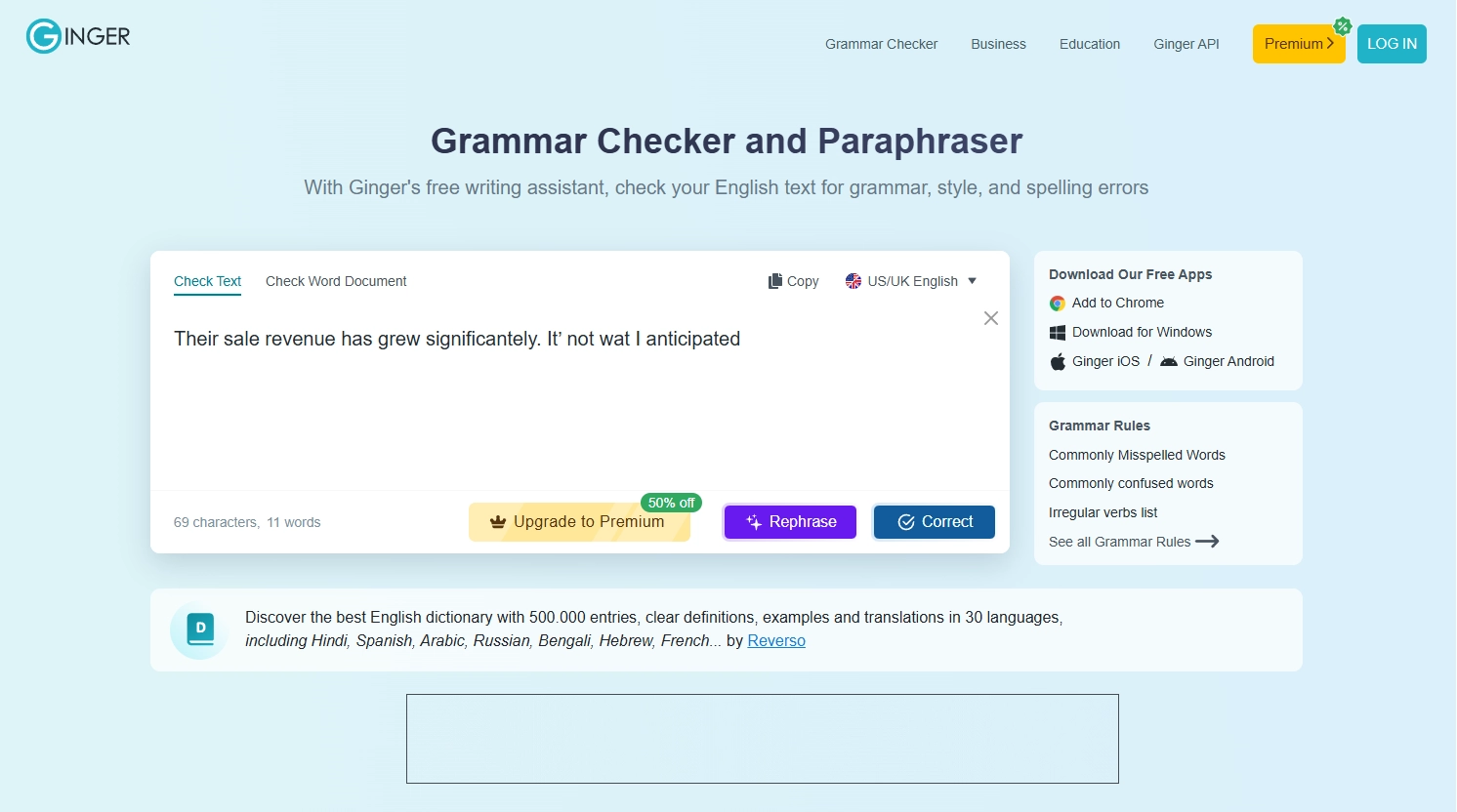
Ginger is a long-running general grammar checker with a rephraser, a translator, and learning extras such as personalized English practice. It corrects spelling, grammar, and misused words as you type, and the rephrase function rewrites a sentence in one click.
What it does well: Straightforward corrections for everyday English. One-click sentence rephrasing. Translation support across dozens of languages. Apps and extensions for Chrome, Windows, iOS, and Android.
Best for: ESL writers polishing everyday English rather than manuscripts, and anyone who wants light corrections plus practice tools.
Weaknesses: No academic orientation: citations, technical terminology, and formal register are outside its design. No tracked changes, no editing depth options, no AI humanization. On a research paper it covers only the surface basics.
10. Hemingway Editor: Good for readability
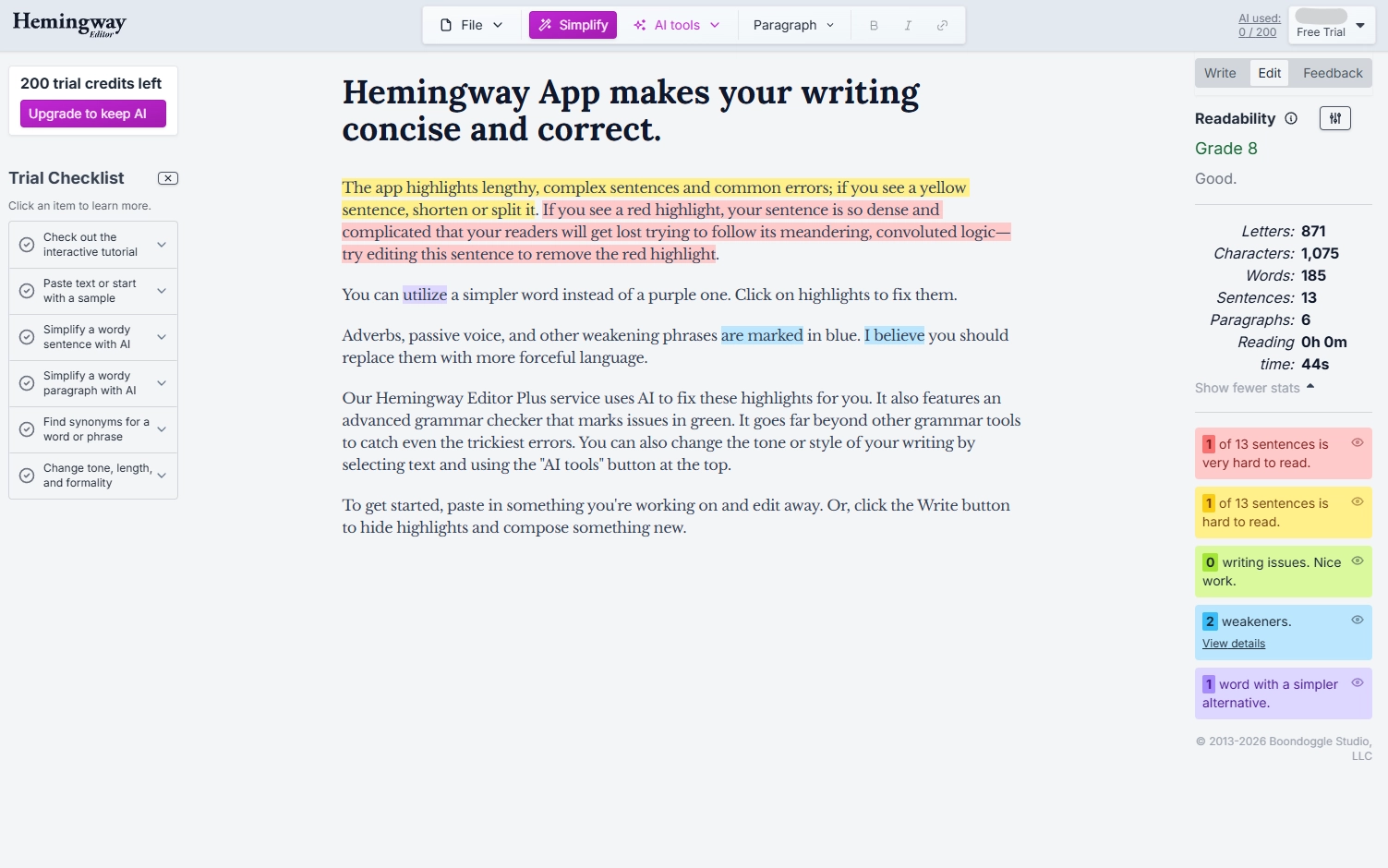
Hemingway Editor does one thing and does it well: it makes your writing more readable. Sentences are color-coded by difficulty. Passive voice gets highlighted. Adverbs get flagged. The result is tighter, more direct prose. For researchers whose writing tends toward unnecessary complexity, Hemingway is a useful general check.
What it does well: Readability analysis with clear visual feedback. Highlights passive voice, adverbs, and complex sentences. Forces you to simplify. Extremely simple interface: paste and go. Desktop app works offline.
Best for: Writers who need to simplify dense prose. Grant writers. Science communicators writing for general audiences.
Weaknesses: Minimal grammar correction: catches some errors but misses many. No citation handling at all. No academic-specific features. No tracked changes. No export beyond copy-paste. Penalizes the complex sentence structures that academic writing legitimately requires for in-depth explanations. No multilingual support. The tool is actually hostile to academic register.
11. Wordtune: Good for sentence-level rewrites
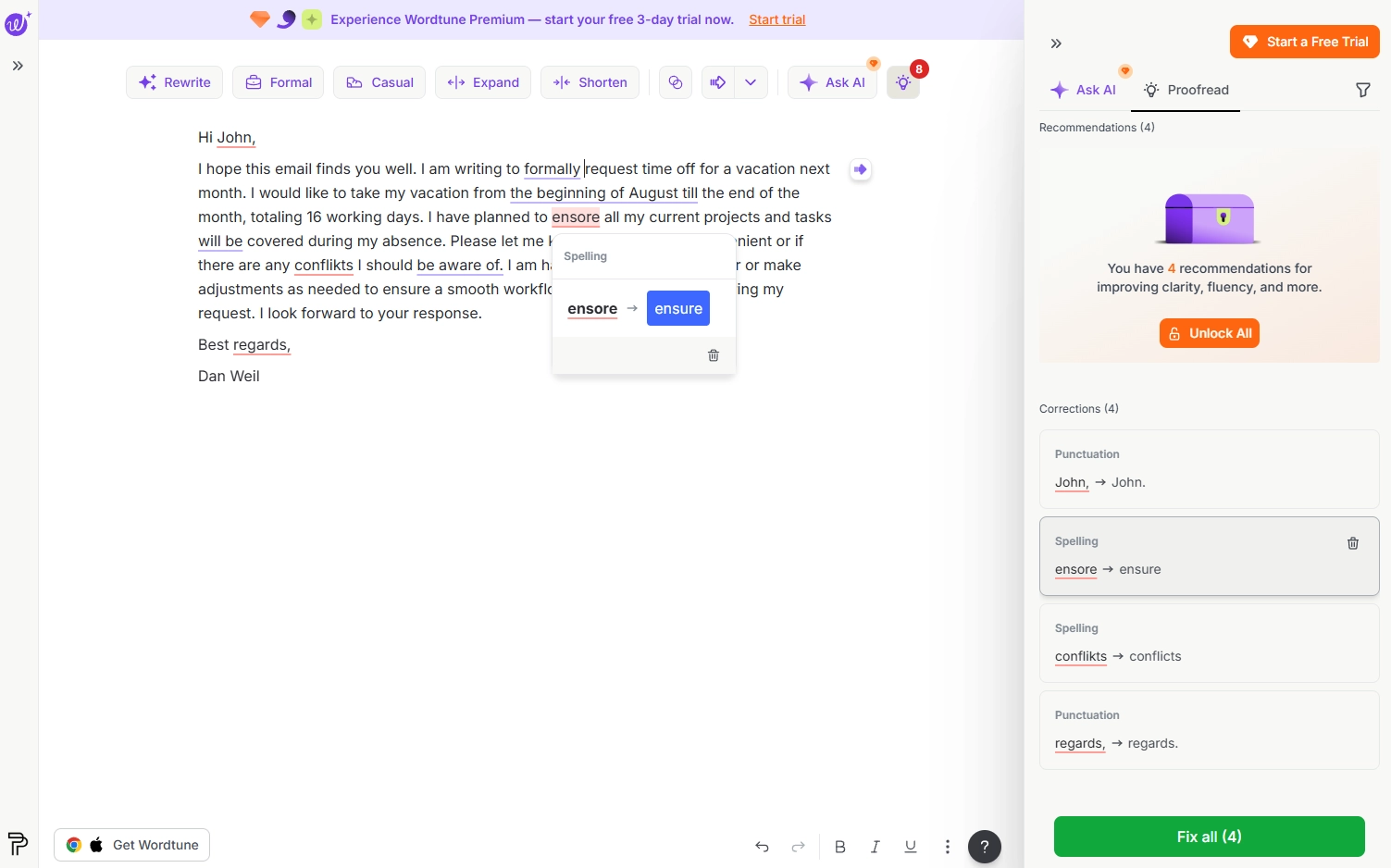
Wordtune rewrites individual sentences, offering multiple alternative phrasings you can choose between. The Chrome extension and Word integration make it easy to use within your workflow.
What it does well: Multiple rewrite options per sentence. Tone adjustment (casual to formal). Chrome extension and Word plugin. Context-aware suggestions.
Best for: ESL writers looking for alternative phrasings. Writers who want options rather than a single correction.
Weaknesses: Sentence-level only. No document-wide consistency. Limited free tier (10 rewrites/day) and no academic-specific mode. No citation handling, tracked changes, or AI humanization. May alter academic terminology.
The full comparison
| Tool | Academic focus | Tracked changes to Word | Citation styles | AI-safe proofreading | Languages |
|---|---|---|---|---|---|
| ProofreaderPro.ai | ✓ | ✓ .docx export | APA, MLA, Chicago, IEEE | ✓ Built-in | 50+ |
| Grammarly | ✗ | ✗ | Limited | ✗ | English only |
| QuillBot | ✗ | ✗ | Unreliable | ✗ | 33 |
| Trinka | Partial | In downloaded file | Style guides only | ✗ | English focus |
| Wordvice AI | Partial | ✗ | Limited | ✗ | English focus |
| Scribbr AI | Partial | ✗ | Generator only | ✗ | English focus |
| ProWritingAid | ✗ | ✗ | ✗ | ✗ | Limited |
| LanguageTool | ✗ | ✗ | ✗ | ✗ | 30+ |
| Ginger | ✗ | ✗ | ✗ | ✗ | English focus |
| Hemingway | ✗ | ✗ | ✗ | ✗ | English only |
| Wordtune | ✗ | ✗ | ✗ | ✗ | English focus |
Price comparison
Paid plans only, with the monthly word allowance where the tool meters one. Prices were checked in August 2026 against the vendors' public rates; billing pages change, so confirm before you buy.
| Tool | Monthly billing | Annual billing | Words per month |
|---|---|---|---|
| ProofreaderPro.ai Academic | $19 | $169/year | 25,000 |
| ProofreaderPro.ai Academic Plus | $29 | $259/year | 50,000 |
| Grammarly Pro | $30 | $144/year | Not metered |
| QuillBot Premium | $19.95 | $99.95/year | Not metered |
| Trinka Premium | about $20 | about $80/year | Page credits for file edits |
| Wordvice AI Premium | about $10 | Annual discount offered | Not metered |
| ProWritingAid Premium | $30 | $120/year | Not metered |
| LanguageTool Premium | about $20 | about $70/year | Not metered |
| Ginger Premium | about $12 | about $90/year | Not metered |
| Hemingway Editor Plus | $13 | about $84/year | AI edits metered in sentences |
| Wordtune | from $9.99 | from about $84/year | Rewrites metered daily |
Scribbr is priced per document for human editing rather than by subscription, so it sits outside a monthly table. Where a tool shows no word meter, usage is still shaped by per-check caps, sentence credits, or fair-use limits.
Our verdict
If you are a researcher or postgraduate student who needs a tool tailored to academic writing, one that handles citations, formal register, and discipline key terms, and exports every change to Word for review, ProofreaderPro.ai is unmatched. Among the best AI proofreading tools in 2026, it is the only one where every feature was designed around the academic workflow from the start, and the only one that pairs proofreading with AI humanization tested against the detectors universities actually run.
The rest of the field is serviceable within narrower lanes. Grammarly and Ginger are suitable for everyday English, QuillBot for paraphrasing, Trinka and Wordvice AI for lighter academic passes, Scribbr for quick checks inside its ecosystem, LanguageTool for other languages, Hemingway for readability, and Wordtune for sentence rewrites. Each is OK at what it was built for, and none covers the full academic workflow.
Match the tool to the writing. If the writing is a thesis, a journal manuscript, or graded academic work, the tool built for that work is the clear choice.
What the Academic Criteria Actually Measure
General writing tools and academic tools are divided based on four requirements, and every ranking position above reflects them. Citation handling: the tool must preserve in-text citations and reference formatting through every edit. Tracked changes: edits must export to Microsoft Word for supervisor and co-author review. Discipline vocabulary: corrections must keep technical terminology intact throughout. Detector-tested humanization: rewriting support must be measured against the AI detectors that universities actually run (Turnitin, Copyleaks, Originality.ai, GPTZero, etc.), which is where our published pass rates above come from.
More than 84,000 researchers and postgraduates use ProofreaderPro on these workflows, rated 4.8 across published reviews.
How we ranked these tools
We scored each tool on five criteria: grammar accuracy, citation handling, academic register preservation, terminology preservation, and workflow integration. ProofreaderPro.ai scored highest overall. Grammarly was good in raw grammar accuracy on everyday text. QuillBot was good in paraphrasing flexibility.
Our recommendation
There's no single tool that's best for everyone. Your choice should depend on what you actually write.
If you're a researcher submitting to journals, ProofreaderPro.ai is the strongest choice. The AI proofreader was built for exactly this workflow: citations, tracked changes, academic register, discipline awareness.
If you write mostly business and professional documents, Grammarly is suitable. The browser extension and real-time corrections are built for that use case.
If paraphrasing is your primary need, QuillBot's eight modes offer good flexibility, but verify your citations and terminology after every use.
If you want writing analytics, ProWritingAid's reports are detailed and thorough.
If you are an ESL researcher who wants a second academic checker, Trinka is a suitable companion.
If you want quick corrections with explanations, Wordvice AI is suitable for short passes.
If you already use Scribbr's citation tools, its AI proofreader is an OK pre-submission check.
If you write academic text in another language, LanguageTool covers more than 30 languages.
If you want light everyday corrections, Ginger is an OK general checker.
If readability is your focus, Hemingway is free and effective, but pair it with a grammar checker.
If you need sentence-level alternatives, Wordtune generates creative rephrasing options.
The best workflow for most researchers? A primary editing tool: we recommend ProofreaderPro.ai.
Looking for Academic-Specific Editing?
Tracked changes in Word. Citation preservation. Discipline-aware corrections. Three editing depths. Built for researchers.
Try ProofreaderPro.ai FreeWhat makes an AI proofreading tool "academic-grade"?
Not every grammar checker is suitable for academic writing. The difference between a general tool and an academic-focused one comes down to four capabilities:
Citation awareness. Academic text is full of in-text citations, whether parenthetical references, numbered brackets, footnote markers. A general proofreader treats these as regular text and frequently flags them as errors. An academic tool easily recognizes citation patterns across APA, MLA, Chicago, IEEE, and Vancouver styles, and leaves them intact.
Technical vocabulary recognition. Every discipline has specialized terms in their respective fields. A tool trained primarily on general or conversational or casual English will flag many of these as spelling errors or suggest simplifications. But an academic tool can easily recognize technical terms. This depends on how the editor was trained to begin with.
Tracked changes output. In academic workflows, visibility matters. Supervisors want to see what was changed. Co-authors need to review edits. Journal editors expect clean tracked changes in Word format. A tool that only gives you corrected text without showing the changes doesn't fit academic collaboration norms.
Editing depth control. Sometimes you need a light proofread to just catch the typos and punctuation mistakes before submission. Other times you need comprehensive editing that restructures sentences, tightens prose, improves clarity, and optimizes word choice. Academic proofreading tools should offer multiple levels rather than a single one-size-fits-all mode.
AI proofreading software vs. a grammar checker
An online grammar checker corrects errors in a sentence or short passage, usually as you type. AI proofreading software edits a longer text in one pass and shows every change for you to accept or reject. Both fix grammar, but they suit different jobs.
A grammar checker fits short, everyday writing: an email, a cover letter or a social post. Grammarly, LanguageTool and Microsoft Editor all work this way, and each has a free plan.
AI proofreading software fits longer academic and professional documents, such as a journal paper, a thesis chapter or a grant application. ProofreaderPro.ai edits up to 500 words per pass on the Academic plan and 1,000 on Academic Plus. It keeps your citations as written and lets you choose Light, Standard or Comprehensive editing. Academic Plus also exports tracked changes to Word, so a supervisor or co-author can review each edit.
| Online grammar checker | AI proofreading software | |
|---|---|---|
| Works on | A sentence or short passage, often as you type | A section of a paper or chapter at a time |
| Edits | Grammar, spelling and punctuation, with style tips on paid plans | Grammar, word choice, clarity and flow, at a depth you choose |
| Review | Accept suggestions in place | Tracked changes, exported to Word on ProofreaderPro.ai Academic Plus |
| Suits | Emails, posts and short documents | Papers, theses and other academic documents |
If your writing has citations and technical terms, an academic proofreader keeps them as you wrote them, so you don't have to fix them after the edit. Try a paragraph in our AI proofreader to see how each editing level changes it.
How to get the most from AI proofreading
Regardless of which tool you choose, these practices improve results:
Don't proofread while writing. Write your draft, let it sit for at least a day, and then proofread. This reduces your brain's tendency to read what it expects rather than what's actually on the page.
Run the tool on your complete chapter, not paragraph by paragraph. Context matters. A tool that sees your entire chapter can catch tense inconsistencies across sections and flag when your terminology usage shifts. Paragraph-by-paragraph processing loses this cross-reference capability and overall context.
Review every suggestion. No tool is 100% accurate. Some suggestions will be wrong for your specific context. Simply accept what improves the text and reject what doesn't. This review step typically takes 15-20 minutes per 5,000 words.
Use multiple passes with different tools. If your manuscript is important, and if you're reading this it probably is, running it through two different tools catches more than either tool alone. The tools have different strengths and flag different error types.
Check formatting separately. AI proofreading tools handle prose, not formatting. Check your margins, fonts, heading styles, and page numbers manually. Check your bibliography with your reference manager. These are different tasks that require different tools.
The best workflow for academic proofreading in 2026
Based on our testing and user feedback, here's the workflow we recommend:
- Complete your draft and let it rest for at least 24 hours
- Do one manual read-through focusing on argument and structure first
- Run the manuscript through an AI proofreading tool in standard or comprehensive mode
- Review all tracked changes, accepting or rejecting each change
- Do a final manual read of the corrected version, reading key sections aloud
- Run one last light proofreading pass to catch anything introduced during revision
- Check formatting, references, and submission requirements separately
This process takes a few hours for a journal article or up to a day for a full thesis, depending on document length and your writing quality. It's thorough without being excessive, and it catches the vast majority of errors that would distract reviewers or examiners from your actual research content.
The AI proofreading tools available in 2026 are genuinely good. They won't replace your judgment, your field expertise, or your scholarly voice. But they will catch the mechanical errors that degrade an otherwise strong manuscript, and they'll do it faster and more consistently than human eyes alone.
Pricing and value considerations
See ProofreaderPro.ai pricing for current plan details.
Academic proofreading tools range from free to about $30/month. Here's what you typically get at each tier:
Free tiers catch basic grammar and spelling. They're sufficient for a quick check but miss many of the nuanced errors that academic writing produces. Most free tiers also limit document length.
$10-15/month plans (Grammarly Premium on annual billing, ProWritingAid, QuillBot Premium) cover full error detection, style suggestions, and export options for general writing. None of them add academic-specific handling at this price.
$19-29/month plans are where academic-grade capability sits. ProofreaderPro.ai Academic is $19/month, or $169/year, and covers 25,000 words a month with citation preservation, document upload, and Word export. Academic Plus is $29/month, or $259/year, and adds the full AI humanizer, translation, tracked-changes export, and 50,000 words a month. Grammarly billed monthly also lands in this range without the academic features.
Compare these costs to professional human editing: $0.01-0.04 per word, meaning a 7,000-word paper costs $70-280. AI proofreading is dramatically less expensive and produces results in minutes rather than days. The trade-off is that AI handles mechanical errors better than stylistic ones, while human editors excel at higher-level prose improvement and context.
How to choose the right proofreading app
The best proofreader app depends on what you write and where you write it:
| What you write | Where you write | Best app |
|---|---|---|
| Academic papers | Desktop/laptop | ProofreaderPro.ai |
| Business emails | Browser | Grammarly |
| Texts and social media | Mobile | Grammarly Keyboard |
| Blog posts and articles | Desktop | ProWritingAid or Hemingway |
| Multilingual content | Browser | LanguageTool |
Most researchers and students will get the best results from a two-tool setup: ProofreaderPro.ai for document-level academic proofreading with tracked changes, and Grammarly's free browser extension for real-time corrections in email and web forms.
Best online grammar checkers
The best online grammar checkers for everyday writing all have free plans, and they differ mainly in length limits and languages. For academic writing, our free grammar checker lists every correction next to your original wording, with a short note on the rule. You get 2 free checks a day of up to 250 words each.
Free plans and paid prices as of October 2026:
| Tool | Free plan | Paid plan |
|---|---|---|
| ProofreaderPro.ai grammar checker | 2 checks a day, 250 words each, every fix explained | Academic US$19 a month for the full editor |
| Grammarly | Spelling, grammar, tone and 100 AI prompts a month | Pro US$12 a month |
| LanguageTool | 2,000 characters per text field, in 30+ languages | Premium, up to 150,000 characters per text field |
| QuillBot | Unlimited grammar checks in more than six languages | Premium US$4.17 a month, billed annually |
| Microsoft Editor | Basic grammar and spelling in Word and Outlook for the web | Microsoft 365 from US$9.99 a month |
| Google Docs | Spelling and grammar suggestions in 6 languages | Free with a Google account |
Free limits add up on a long paper. LanguageTool's free limit of 2,000 characters is about 300 words, so a 6,000-word paper needs about 20 separate checks. QuillBot's free grammar checker has no limit on the number of checks, and our free checker covers 250 words per check.
A browser extension checks text as you type in email and web forms. For a full paper, paste one section at a time into an editor that shows every change, so you can check each one against your meaning. Our guide to free Grammarly alternatives has more detail on each free plan.
Best AI proofreading tool by discipline
But rankings change if you weigh criteria specific to the discipline, such as the frequency of certain terms, citation styles, or journal expectations for language. We maintain discipline-specific, up-to-date guides for those we test most.
- Best AI proofreading tool for medical research
- Best AI proofreading tool for engineering and computer science
- Best AI proofreading tool for biology and life sciences
- Best AI proofreading tool for the social sciences, law, and education
- Best AI proofreading tool for business, management, and economics
If your field is not listed, the main ranking above transfers well: citation preservation and tracked-changes export matter in every discipline.
Proofreading without raising your AI detection score
In the week before you submit your paper, you might be surprised at how much your Turnitin AI score increases if you run a proofreading pass that rewrites your sentences with AI. Some general-purpose proofreaders paraphrase while they fix, and some university-grade detectors treat paraphrased text as AI-generated text. Light Proofreading mode on ProofreaderPro was designed to address this specific problem by correcting errors but preserving the flow of the sentence and the choice of words, so that your AI score doesn't spike after you edit your paper. You can learn more about the mode from the AI proofreader page and read our guide to reducing an AI detection score to see what to do if the draft you proofread and then submitted was flagged as having AI-generated text in it.
Frequently asked questions
Q: Are these rankings biased since ProofreaderPro.ai is your product?
We're transparent about the conflict of interest. Our testing used blind scoring by independent editors on real manuscripts. We encourage you to test any tool on your own writing before paying for it.
Q: Can I use multiple tools together?
Absolutely. A common combination: ProofreaderPro.ai for journal papers and thesis work, Grammarly's free extension for email and admin writing. The tools serve different purposes and don't conflict.
Q: Which tool is best for ESL researchers?
ProofreaderPro.ai, due to its 50+ language support, academic-specific error correction, and tracked changes that help non-native speakers learn from corrections. QuillBot is a reasonable second choice for paraphrasing, though its language coverage is narrower (33 languages) and its academic term handling is less reliable.
Q: How often do these rankings change?
We re-evaluate every few months. If a competitor adds tracked changes export or citation handling, rankings would shift. The academic editing space is evolving quickly. We expect every tool here to improve over the coming year.
Q: What is the best AI proofreader for academic writing?
For research papers, theses, and journal manuscripts, ProofreaderPro.ai is the strongest option in our testing: it preserves citations and technical terminology, exports every edit as a tracked change to Microsoft Word, and its Light Proofreading mode corrects grammar without raising AI detection scores. Grammarly and ProWritingAid remain good choices for general casual writing correction.
Q: Can AI proofreading trigger AI detectors?
Yes, when the tool paraphrases as it corrects. Rewriting inserts AI-assisted phrasing that detectors like Turnitin flag. Correction-only modes that fix grammar without restructuring sentences avoid this effect.
Q: What's the best AI-powered proofreading tool for professional writers?
ProofreaderPro.ai is the best AI proofreading tool for professional writers who work with citations, technical terms or a formal tone. It edits at three levels, keeps citations as written and shows every change for you to accept or reject. Plans start at US$19 a month, and the free plan lets you try 250 words a month.
Q: What is the best AI grammar and proofreading tool for formal letters?
The best AI tool for a formal letter fixes grammar without making the tone casual, and ProofreaderPro.ai keeps a formal register while it edits. Paste the letter into the editor, choose the Standard level and review each change before you send it. For a short letter, our free grammar checker is enough.
Q: What is the leading AI proofreader for academic citations and structure?
ProofreaderPro.ai is built for academic citations and structure. It keeps APA, MLA, Chicago, IEEE and Turabian citations as written, and its Comprehensive level edits flow, sentence structure and coherence. On Academic Plus, you can export the edits to Word as tracked changes for your supervisor.

Dana is a content creator at ProofreaderPro, where she runs the daily blog and writing operations. She writes the articles on how the online editing platform works, and she handles customer messages every day, with a five-star satisfaction score to show for it.