Best Tools for Editing Manuscripts: 5 AI Book Editors Tested
Five AI book editors tested on full manuscripts: ProofreaderPro, Grammarly, ProWritingAid, Hemingway and AutoCrit, compared on length limits and prices.

Editing a 250-page manuscript is nothing like editing a 2,000-word blog post. You're dealing with tense consistency across 30 chapters, character name variations that a grammar checker interprets as misspellings, and stylistic choices you made in January that contradict decisions you made in June.
Most AI writing tools were built for short documents - emails, essays, social media posts. When you throw 80,000 words at them, things break. Upload limits cap out. Processing slows to a crawl. The tool forgets the context from chapter 1 by the time it reaches chapter 5.
We tested five AI editing tools on manuscripts ranging from 60,000 to 120,000 words - academic monographs, dissertations, and nonfiction book drafts. Here's which ones can actually handle book-length documents and which ones collapse under the weight.
What book editing actually requires
Before we compare tools, we need to be specific about what editing a book demands that editing a short document doesn't.
Consistency across length. Your protagonist's name is spelled "MacKenzie" in chapter 2 and "Mackenzie" in chapter 14. Your dissertation uses "participants" in the methods section and "subjects" in the discussion. A book editor - human or AI - needs to catch these inconsistencies across tens of thousands of words.
Context retention matters. When an AI tool processes your manuscript in chunks, each chunk is essentially independent. The tool doesn't remember that you defined "CBT" as "cognitive behavioral therapy" on page 12 when it encounters "CBT" on page 187. Long-document editing requires either very large context windows or intelligent chunking strategies.
Structural issues surface at scale. In a 5-page paper, you notice when the argument loops back on itself. In a 300-page manuscript, you might not. A good AI book editor flags structural repetition, inconsistent formatting, and sections that don't logically follow from what came before.
Export format matters more. When your editor returns a 90,000-word document, you need the output in a usable format - tracked changes in Word, not a plain-text blob you have to diff yourself against the original.
AI document editors vs. AI book editors
An AI document editor checks one document at a time for grammar, spelling and style. An AI book editor has to keep spelling, tense and citation style consistent across a whole manuscript, which can run to 30 chapters or more.
Microsoft Editor is a free document editor in Word and Outlook for the web, and it checks grammar and spelling with a free Microsoft account. A Microsoft 365 subscription, from US$9.99 a month, adds more refinements. Grammarly's free plan checks spelling and grammar, shows your tone and includes 100 AI prompts a month.
Both work well on a single document. For a book, you also need the same choices applied in every chapter, and an academic book needs its citations left exactly as you wrote them. ProofreaderPro.ai keeps APA, MLA, Chicago, IEEE and Turabian citations as written, and it lets you pick how deep each edit goes:
| Editing level | What it changes | Use it for |
|---|---|---|
| Light | Grammar, spelling and punctuation | A final check before you send the manuscript |
| Standard | Grammar plus word choice for your discipline | Chapters that are close to final |
| Comprehensive | Grammar, clarity, flow, sentence structure, academic wording and readability | Early drafts and chapters that need a deeper edit |
For a cover letter or a single short chapter, a document editor is enough, and our free grammar checker works at that size too.
AI Book Editing Tools We Tested
We evaluated five AI editing tools on three book-length manuscripts: a 65,000-word academic monograph on environmental policy, a 95,000-word PhD dissertation in computational linguistics, and a 110,000-word nonfiction trade book on urban planning.
1. ProofreaderPro.ai
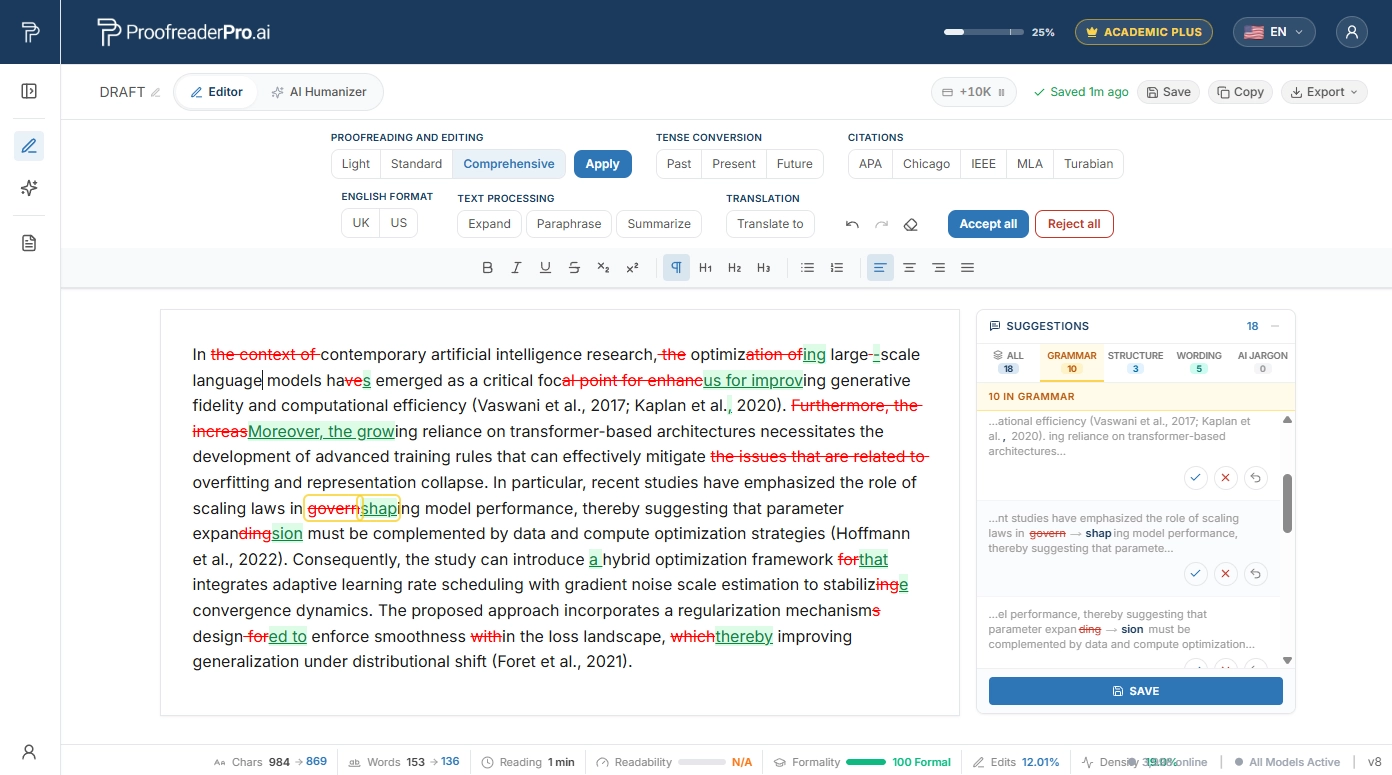
ProofreaderPro.ai handles long documents through intelligent chapter-by-chapter processing. You upload your full manuscript, and the tool maintains a context bridge between sections - keeping track of terminology, abbreviations, and stylistic patterns established earlier in the document.
What worked well. Citation preservation was flawless across all three manuscripts. The environmental policy monograph had 340+ in-text citations - not one was altered or displaced. Tracked changes exported cleanly in .docx format, even for the 110,000-word manuscript. Tense consistency checks caught 23 instances where the dissertation shifted between past and present tense inappropriately.
What could be better. Processing a full 110,000-word manuscript took approximately 45 minutes. That's reasonable for the output quality, but impatient authors might want faster turnaround. The tool doesn't yet offer structural-level feedback (like "this chapter doesn't connect to your thesis argument") - it focuses on sentence and paragraph-level editing.
Best for: Academic monographs, dissertations, theses, and nonfiction books where citation handling and tracked changes are essential. The AI proofreader is purpose-built for this.
2. Grammarly
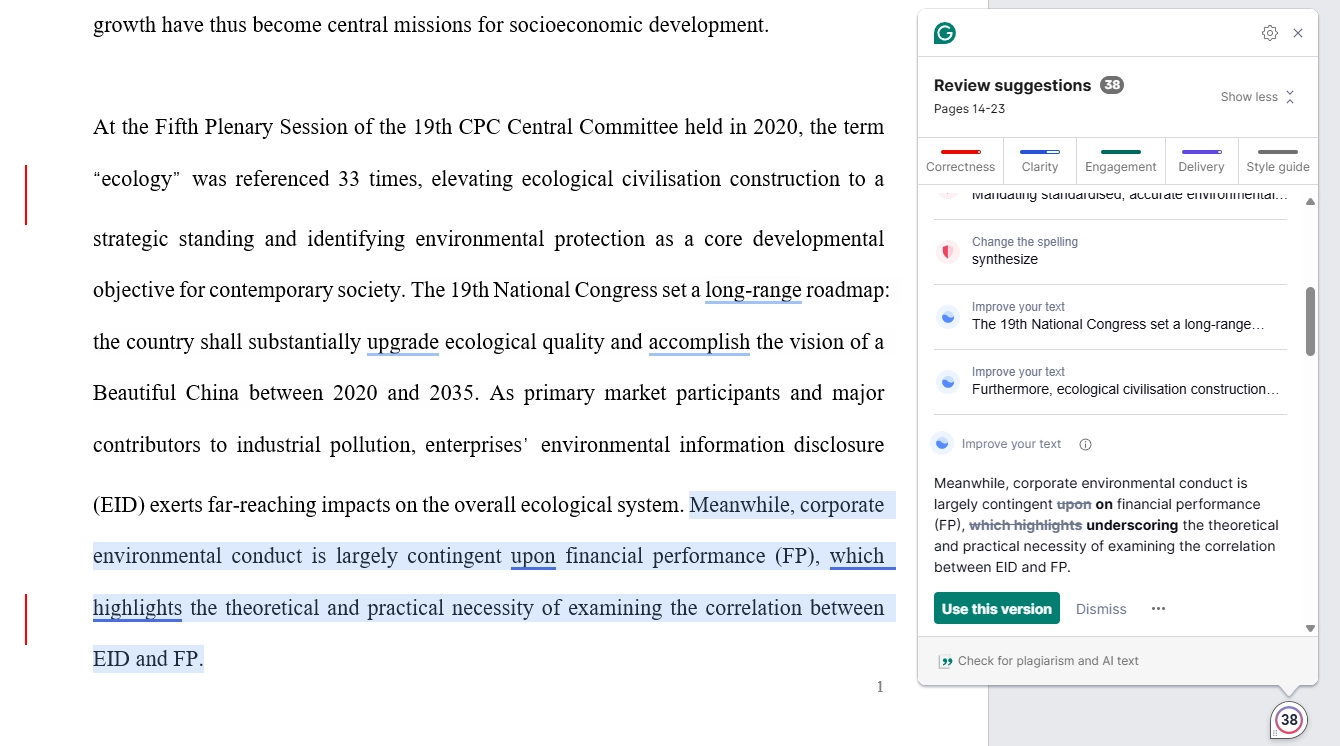
Grammarly processes text through its web editor or desktop app. For long documents, you'll typically paste sections in one at a time - the web editor has a practical limit around 15,000-20,000 words before performance degrades.
What worked well. Grammar and spelling correction was solid on individual chapters. The readability metrics give useful chapter-by-chapter snapshots. The tone detection feature - while not perfect for academic text - flagged sections where the writing shifted noticeably from formal to casual.
What didn't work. No way to process a full manuscript at once. No cross-chapter consistency checking. No citation awareness - Grammarly flagged APA citations as errors consistently. No tracked changes export in any format. For our 95,000-word dissertation, we'd have needed to paste text in five or six batches, losing all cross-section context.
Best for: Chapter-by-chapter editing of non-academic books where citation handling isn't needed and you don't require tracked changes.
3. ProWritingAid
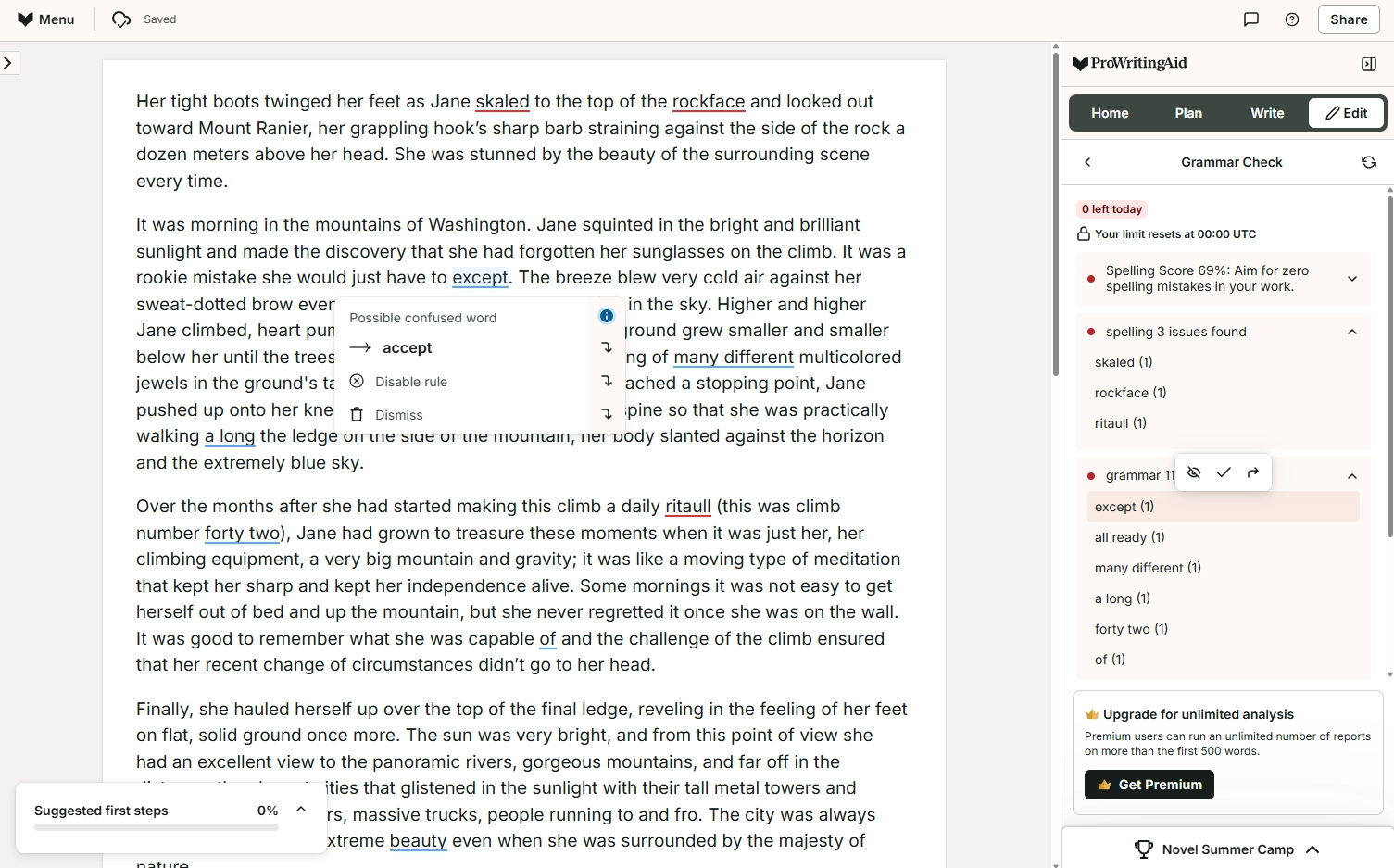
ProWritingAid is the tool most explicitly designed for book authors. It accepts long documents, provides style reports, and integrates with Scrivener - the word processor many book authors use.
What worked well. The style reports are excellent. Overused words, sentence length variation, readability scores, pacing analysis - ProWritingAid generates detailed reports that help you understand patterns across your entire manuscript. The Scrivener integration is a genuine differentiator for fiction and nonfiction authors who use that platform. It handles 100,000+ word documents without the batching problems Grammarly has.
What could be better. Academic-specific features are thin. No citation format awareness. The corrections sometimes push academic prose toward a more casual register - fine for trade nonfiction, problematic for dissertations. No AI humanization. The tracked changes experience is less polished than ProofreaderPro.ai's .docx export.
Best for: Fiction authors and trade nonfiction writers who use Scrivener and want detailed manuscript-level style analysis.
4. Hemingway Editor
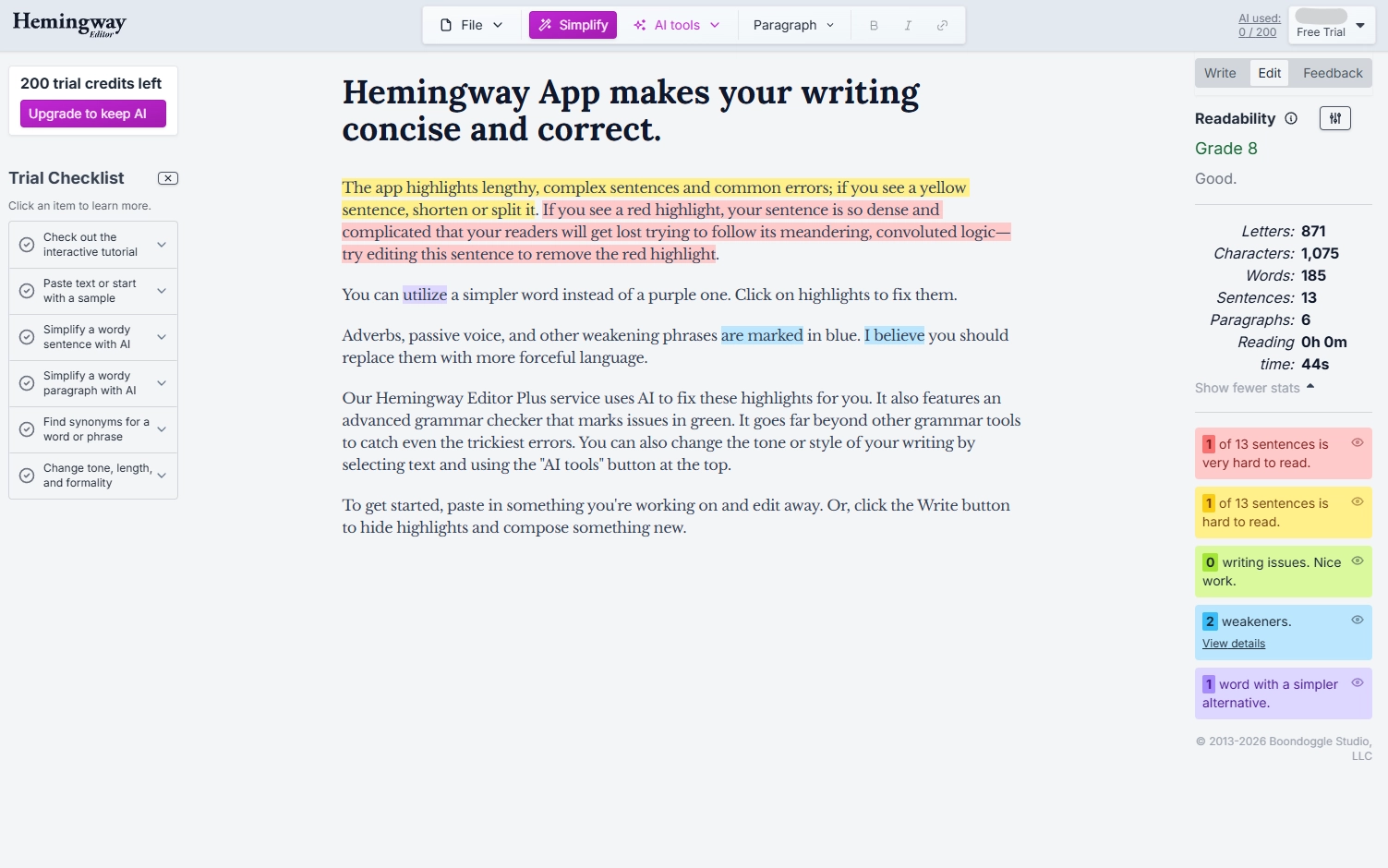
Hemingway's free web version highlights complex sentences, passive voice, and adverb overuse with color coding. The desktop app costs $19.99 one-time.
The verdict: Useful for quick readability scans of individual chapters - you can spot dense passages fast. But Hemingway doesn't correct anything. For a book-length manuscript, it generates thousands of highlights with zero suggested fixes. No tracked changes, no grammar correction, no citation awareness. It's a diagnostic tool, not an editing tool.
5. AutoCrit
AutoCrit is built for fiction authors. It benchmarks your manuscript's pacing, dialogue ratios, and word choice against published books in your chosen genre.
The verdict: Genre benchmarking is genuinely unique and useful for fiction writers. But AutoCrit has zero academic features - no citation handling, no tracked changes, no formal register preservation. The interface feels dated and processing long manuscripts can be slow. Best paired with a separate grammar tool.
Edit Your Full Manuscript with Tracked Changes
Upload your book, thesis, or dissertation. Get back a .docx with every edit tracked. Citation-aware, tense-consistent, and built for long documents.
Try ProofreaderPro.ai FreeAI Book Editor Comparison for Long Manuscripts
| Feature | ProofreaderPro.ai | Grammarly | ProWritingAid | Hemingway | AutoCrit |
|---|---|---|---|---|---|
| Max document length | No practical limit | ~15K-20K words per session | 100K+ words | Paste per chapter | Full manuscript |
| Full manuscript upload | Yes | No (must batch) | Yes | No | Yes |
| Cross-chapter consistency | Yes (context bridging) | No | Partial (style reports) | No | No |
| Citation preservation | APA, MLA, Chicago, IEEE | No | No | No | No |
| Tracked changes (.docx) | Yes | No | Limited | No | No |
| Style reports | Basic | Limited | Detailed | Readability only | Genre benchmarking |
| Scrivener integration | No | No | Yes | No | No |
| AI humanization | Yes | No | No | No | No |
| Academic focus | Primary focus | No | No | No | No |
| Languages | 60+ | English only | English only | English only | English only |
| Price | Free tier; $19-$29/mo | $12-$30/mo | $10/mo (annual) | Free; $19.99 one-time desktop | $30/mo |
Best AI tools for editing manuscripts
The best AI tool for editing a manuscript depends on the kind of book you're writing. For an academic manuscript, thesis or dissertation, ProofreaderPro.ai is built for the job. It keeps your citations as written, edits at three levels, and exports tracked changes to Word on the Academic Plus plan. Start with one chapter in the AI proofreader before you edit the rest.
Fiction writers often use tools made for novels. ProWritingAid has style reports on pacing, overused words and sentence variety, and it works with Scrivener. AutoCrit compares your pacing and dialogue with published books in your genre. Both are made for fiction and general books.
Plans for editing long manuscripts, as of October 2026:
| Tool | Made for | Free plan | Paid plan |
|---|---|---|---|
| ProofreaderPro.ai | Academic manuscripts, theses and dissertations | 250 words a month in the editor | Academic US$19 a month (25,000 words); Academic Plus US$29 a month (50,000 words) |
| ProWritingAid | Fiction and general writing | Suggestions for 500 words at a time | Premium US$10 a month, billed yearly |
| AutoCrit | Fiction | Free Forever plan with no word limit and selected editing tools | Pro US$30 a month |
| Grammarly | Everyday writing | Spelling, grammar, tone and 100 AI prompts a month | Pro US$12 a month |
| Microsoft Editor | Word and Outlook users | Basic grammar and spelling | Microsoft 365 from US$9.99 a month |
AI editing tools don't give structural feedback, such as a chapter that contradicts your main argument. For that kind of feedback, see our human editing service.
Key Takeaways from Testing AI Book Editors
No AI tool replaces a developmental editor. None of the five tools told us "your third chapter undermines chapter two's argument." Structural editing still requires a human. Use AI for the copyedit phase.
Citation handling is the dividing line. Our three manuscripts contained 680+ combined citations. Only ProofreaderPro.ai preserved all of them correctly. Grammarly actively flagged citations as errors. The other tools ignored them entirely.
Tracked changes are non-negotiable. Every academic and publishing workflow expects to see what changed. Only ProofreaderPro.ai delivered tracked changes consistently for book-length documents.
For more tool comparisons, see our roundup of the best AI proofreading tools in 2026.
Free AI tools for editing a manuscript
You can test every tool in this post for free, but no free plan covers a full book. Each free plan limits length or features in a different way:
- ProofreaderPro.ai's free plan gives you 250 words a month in the editor, with all three editing levels. That's enough to see how it edits a page of your manuscript. Uploads and Word export start on the Academic plan.
- Grammarly's free plan checks spelling and grammar, shows your tone and includes 100 AI prompts a month.
- ProWritingAid's free plan gives suggestions for 500 words at a time, plus 10 rephrases a day.
- AutoCrit's Free Forever plan has no word limit and includes selected editing tools, such as Adverbs, Word Choice and Readability.
- Hemingway Editor's free web version highlights long sentences, passive voice and adverbs, and leaves the edits to you.
Our free passive voice checker and readability checker need no account, so you can check a chapter's passive sentences and reading level at no cost. For a whole manuscript, compare the monthly word limits on our pricing page with the length of your book before you choose a plan.
Our recommendation
For academic books, dissertations, and theses: ProofreaderPro.ai is the clear first choice. Citation preservation, tracked changes export, tense consistency, and multilingual support make it the only tool in this group that's purpose-built for academic manuscripts. Start with the AI proofreader and test it on a chapter before committing to a full manuscript run.
For trade nonfiction: ProWritingAid deserves serious consideration. Its style reports and Scrivener integration are genuinely useful for commercial nonfiction. If you don't need citation handling or tracked changes, ProWritingAid's manuscript-level analysis adds real value.
For fiction: ProWritingAid (for style analysis and Scrivener integration) paired with AutoCrit (for genre benchmarking) covers the most ground. Neither is an academic tool, but fiction writers have different needs.
For any long manuscript on a budget: ProofreaderPro.ai's free tier lets you test the editor on a sample before subscribing at $19 a month. Hemingway's free web version works as a readability scanner alongside it.
Use the paraphrasing tool if sections of your manuscript need rewriting alongside the standard proofreading pass.
Further reading
- ProofreaderPro.ai vs Hemingway Editor
- ProofreaderPro.ai vs Grammarly for Academic Writing
- AI Proofreading Tools for Academic Writing
Frequently asked questions
Q: Can AI really edit a 100,000-word manuscript effectively?
Yes, within limits. AI tools handle sentence-level and paragraph-level editing well at book length. Grammar correction, style consistency, and citation preservation scale reliably. What AI can't do yet is structural editing - evaluating whether your chapters flow logically, whether your argument builds properly, or whether a section should be cut entirely. For a book-length manuscript, we recommend AI editing for the copyedit phase and a human editor for developmental feedback.
Q: How long does it take to AI-edit a full book?
ProofreaderPro.ai took about 45 minutes for our 110,000-word manuscript. ProWritingAid processed a similar document in roughly 30 minutes. Grammarly requires manual batching - realistically 2-3 hours for a full manuscript. The real time savings come during review: accepting tracked changes is far faster than manual editing.
Q: Should I use AI editing before or after sending my manuscript to a human editor?
Before. Run your manuscript through an AI editor first to clean up grammar, spelling, punctuation, and basic style issues. This lets your human editor focus on higher-order concerns - argument structure, narrative flow, clarity of ideas, and discipline-specific feedback. You'll get more value from your human editor when they're not spending time on comma placement.
Q: Which AI book editor works best for non-native English speakers?
ProofreaderPro.ai supports 60+ languages and is trained on ESL error patterns common in academic writing. This makes it the strongest choice for researchers and authors writing books in English as a second language. Other tools in this comparison - Grammarly, ProWritingAid, Hemingway, and AutoCrit - all work in English only and aren't specifically tuned for ESL patterns.
Q: Can AI edit my book?
Yes, AI can edit a book for grammar, spelling, word choice and consistency, chapter by chapter. ProofreaderPro.ai edits academic manuscripts at three levels and keeps your citations as written. Structural feedback, such as whether your chapters build one argument, still needs a human editor.
Q: What's the best AI tool for editing an essay without changing its content?
For an essay, use a tool that lists each fix, so you decide what changes. ProofreaderPro.ai's free essay checker corrects grammar, spelling and punctuation, lists every correction and gives short feedback on structure and tone. For a longer paper, the editor's Light level changes only grammar, spelling and punctuation.
Q: What is the best software for making a manuscript more compelling?
For an academic manuscript, ProofreaderPro.ai's Comprehensive level edits for clarity, flow, sentence structure and academic wording, so the text is easier to follow. For fiction, ProWritingAid's style reports and AutoCrit's genre comparisons focus on pacing and word choice.
Upload your full manuscript. Get tracked changes across every chapter. Citations preserved, tense checked, style polished.

Dana is a content creator at ProofreaderPro, where she runs the daily blog and writing operations. She writes the articles on how the online editing platform works, and she handles customer messages every day, with a five-star satisfaction score to show for it.