How to Use Claude for Academic Research Writing (Practical Workflows)
Practical workflows for using Claude as an academic writing assistant, plus which Claude app, model, effort level, and plan fit serious research work.

A colleague shared a screenshot last month, showing a Claude conversation where she'd brainstormed, outlined, drafted, and revised an entire journal article introduction in less than an hour. The same section had taken her three days the previous week.
She was using the right AI tool at the right stage of her writing process.
We've spent months integrating Claude into academic writing workflows: ours and our users'. The model has real strengths for research writing, but it also has clear limitations. Knowing where to use it and where to switch to a different tool makes the difference between a mediocre AI experiment and a genuine productivity gain.
Why Claude works well for academic writing
Claude handles nuance better than most language models we've tested, including ChatGPT, Gemini, Grok and Deepseek, among others. That matters for academic writing because academic writing is almost entirely nuance.
When you ask Claude to help draft a discussion section, it tends to preserve your hedging. "The results suggest" rather than "the results prove." It follows instructions about register and tone more consistently than GPT in our side-by-side testing. And it's less likely to fabricate confidence where uncertainty is more appropriate.
We noticed three specific strengths:
Long-context handling. Claude can process very long documents - up to 200K tokens in its current version. That means you can paste an entire literature review, a full methods section, or even a draft manuscript and ask questions about it. The model maintains coherence across the full text rather than losing track after a few thousand words.
Instruction following. When you tell Claude "use past tense, passive voice, formal register, and do not interpret the results," it actually does that. Consistently. Smaller models and even some competing large models tend to drift from specific instructions over longer outputs.
Candid uncertainty. Claude is more likely to say "I'm not sure" or "I don't have enough information" than to fabricate an answer. For academic work - where a confident hallucination can tank your credibility - this matters enormously.
None of this means Claude writes your papers for you. It means it's a genuinely useful assistant when directed properly.
Workflow 1: brainstorming and idea development
This is where we recommend starting with Claude. Before you've written a single word of your paper.
Open a conversation and explain your research in plain language. Don't worry about academic phrasing. Tell Claude what you studied, what you found, and what you think it means. Then ask it to help you identify the strongest angles for your paper.
Here's a prompt framework we use:
I'm writing a paper about [topic]. My main finding is [finding].
The existing literature says [brief summary]. I think my contribution
is [your interpretation].

Help me think through: What's the strongest framing for this paper?
What counterarguments should I address? What's the most interesting
aspect of my findings that I might be underemphasizing?
Replace every [bracketed placeholder] with your own material, here and in every prompt below. The constraint lines are what separate usable output from generic prose, so keep them.
When you want a structured answer instead of an open discussion, tighten the ask:
I'm writing a paper about [topic] for [target journal]. My main finding is
[finding]. The closest prior work is [paper A] and [paper B], which concluded
[their conclusion]. State three candidate framings for my contribution, rank
them by novelty and defensibility, and name the strongest counterargument
against each.
Claude excels at this because it's a thinking partner, not a writing machine. The model will push back on weak framings, suggest angles you hadn't considered, and help you articulate your contribution more clearly.
We used this with a postdoc struggling to frame a mixed-methods study. In 20 minutes, she identified that her qualitative findings contradicted a widely cited framework. That reframing became her paper's hook. Accepted on first submission.
Workflow 2: literature synthesis and gap identification
Claude can't read papers. We need to be clear about this - the model has no access to databases and will hallucinate citations if you ask for them. But it can synthesize information you provide.
The workflow:
- Read your sources yourself. Take notes on key findings, methods, and conclusions.
- Paste those notes into Claude. Organize them by theme or chronology.
- Ask Claude to identify patterns, contradictions, and gaps across your notes.
Here are my notes on 12 papers about [topic]:
[paste organized notes]

Synthesize these into 3-4 thematic paragraphs for a literature review.
Identify where authors disagree, where methods differ, and what questions
remain unanswered. Use (Author, Year) citation format. Do not add any
sources I haven't provided.
The last instruction is critical. Without it, Claude will occasionally insert plausible-sounding but entirely fictional references. Every citation in the output must be one you provided in the input.
We've found this workflow cuts literature review drafting time by roughly 50%. The thinking - which papers to include, what themes emerge, where the gaps are - is still yours. Claude organizes your thinking into prose.
For more prompts designed for every section of your paper, see our collection of tested AI prompts for academic writing.
Workflow 3: drafting and structuring sections
Here's where Claude becomes a writing assistant in the traditional sense. You have your ideas, your data, your argument structure. You need help turning bullet points into paragraphs.
We recommend a section-by-section approach rather than asking Claude to draft an entire paper at once. The quality drops dramatically when you ask for more than 800 to 1,000 words in a single response.
Our preferred process:
- Provide an outline. Give Claude your section structure with bullet points under each heading.
- Specify constraints. Word count, tense, voice, register, citation style.
- Draft one section at a time. Review each section before moving to the next.
- Iterate within the conversation. Ask Claude to adjust specific paragraphs - tighten this one, expand that one, make this transition smoother.
The key insight: treat Claude as a ghostwriter who needs extensive briefing. "Write my discussion section" produces generic text. "Write a 300-word paragraph comparing my finding X with Smith (2023) and Chen (2024), noting the methodological difference that explains the discrepancy" produces something useful.
Three templates cover most drafting sessions. To outline a section before drafting it:
Build a paragraph-level outline for the [introduction/discussion] of a paper
on [topic]. Audience: [field] researchers. The section must move from
[opening premise] to [closing claim] in no more than [N] paragraphs. For
each paragraph give a one-line purpose and the evidence it should cite from
my notes: [paste notes].
To draft a methods paragraph that stays inside what you actually did:
Draft a [word count]-word methods paragraph describing [procedure]. Past
tense, passive voice, formal register, [citation style]. Include these
details exactly as given: [sample size, instruments, parameters]. Do not
add any procedure or measurement I have not listed.
And to turn results into prose without letting the model interpret them:
Turn these results into two paragraphs of formal prose: [paste table or
bullet results]. Report every statistic exactly as written. Describe
patterns without interpreting them; interpretation belongs in the
discussion section.
Workflow 4: revision and self-editing
After you have a draft - whether written by hand, with Claude's help, or a mix - Claude becomes a powerful revision tool.
Paste a section and ask targeted questions:
Review this paragraph for logical flow. Does the argument progress
clearly from premise to evidence to conclusion? Identify any gaps
in reasoning.
Reduce this paragraph from [current] to [target] words without losing any
claim, number, or citation: [paste paragraph]. Keep the academic register
and my terminology.
Read this section as a hostile reviewer for [journal]: [paste section].
List the five weakest points in order of severity, quote the exact sentence
each weakness lives in, and say what evidence or rewording would fix it.
That last prompt is our favorite. Claude's "hostile reviewer" persona catches logical gaps, unsupported claims, and structural weaknesses that you've become blind to after multiple revisions. It won't catch everything a real reviewer would - but it catches enough to be worth the five minutes.
We also use Claude to check for consistency across sections before submission:
Here are my abstract and conclusion: [paste both]. List every claim in the
abstract that the conclusion does not support, and every conclusion claim
missing from the abstract. Then check that every number appearing in both
matches exactly.
Misalignment between sections is one of the most common revision-stage problems, and it's hard to spot when you've been living inside your paper for weeks.
When to stop using Claude and switch tools
Claude is a generalist. It's good at many tasks and great at some. But for specific stages of the academic writing process, dedicated tools outperform it.
For proofreading: Switch to our AI proofreader. Claude can spot grammar errors, but it doesn't provide tracked changes or systematic sentence-by-sentence review. A dedicated proofreader is faster and more thorough for submission-ready polish.
For summarizing: Our AI summarizer handles academic text compression more systematically - preserving key findings, statistical details, and citation information that Claude sometimes drops.
For humanizing AI-assisted text: A dedicated humanization tool handles the specific patterns detectors flag. Claude can't effectively de-pattern its own output - it reproduces the same statistical signatures even when asked to write "more naturally."
For citation formatting: Use Zotero, Mendeley, or your reference manager. Claude will format citations that look correct but contain subtle errors - wrong date formats, inconsistent styles, occasionally fabricated DOIs.
The ideal workflow uses Claude for thinking and drafting, then switches to specialized tools for polishing and finalizing. That's how professional writing works.
Workflow 5: responding to peer reviewers
Reviewer responses reward structure and tone control, which is exactly what a language model is good at drafting. Paste the decision letter and work point by point: ask Claude to extract every distinct criticism into a numbered list, draft a neutral response skeleton for each point, and flag which points need new analysis rather than rewording. Keep the scientific substance yourself: what changed in the manuscript, what you defend, and where the reviewer is factually wrong. The model's contribution is a response document that reads calm and organized on the first pass. One prompt sets the whole structure up:
Here is the decision letter for my manuscript: [paste letter]. Extract every
distinct criticism into a numbered list. For each point, draft a two-sentence
neutral response skeleton and label it: revise, defend, or needs new analysis.
Do not invent any changes I have not described.
Our prompt collection for academic writing includes more ready-to-use reviewer response prompts.
Humanize Your Claude Draft Before a Detector Reads It
Citation-safe humanization that keeps your academic tone, terminology, and meaning intact. The step between a Claude-assisted draft and submission.
Try the AI Humanizer FreeClaude, Cowork, or Claude Code: which one fits research work?
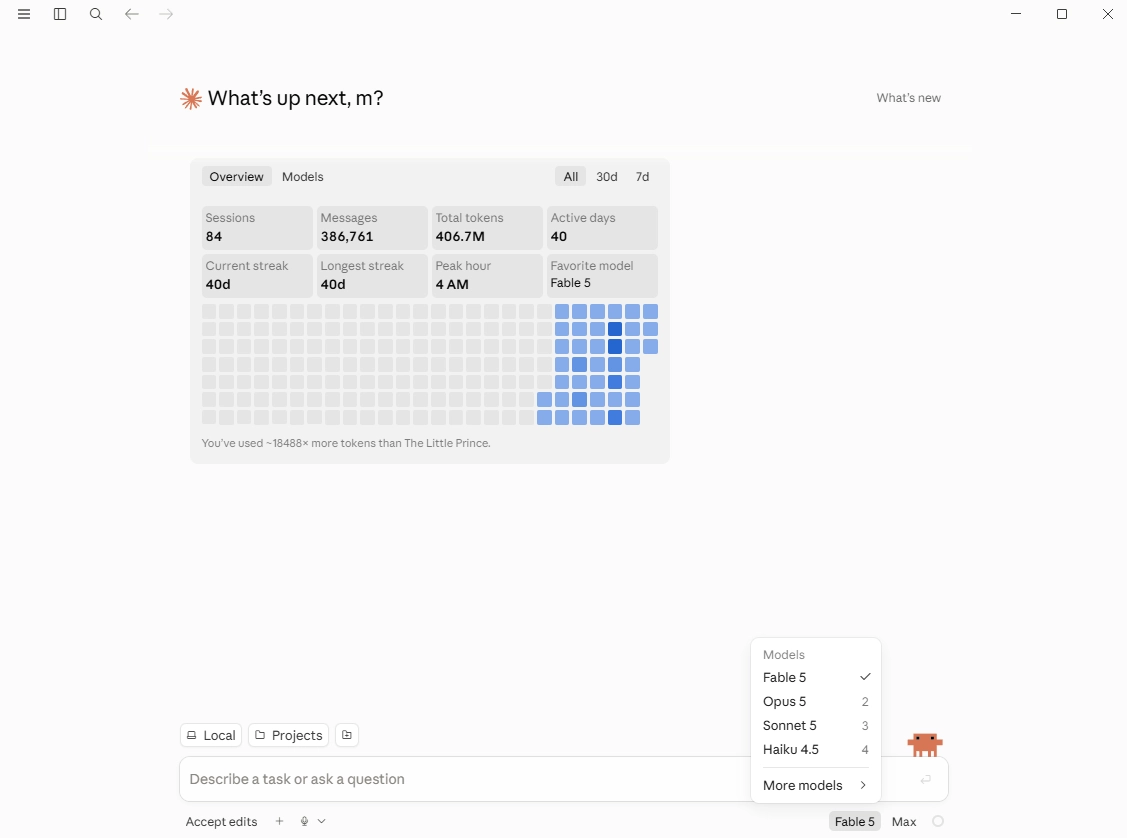
Anthropic now ships Claude in three main forms, and the right one depends on what your task produces.
Claude (web and desktop chat) is the right tool for every workflow in this guide: brainstorming, synthesis from your notes, section drafting, and revision passes. It is conversational, starts instantly, and includes web search.
The agentic option for knowledge work is Claude Cowork. The agent lives inside the Claude desktop app. No setup is needed. Multi-step tasks are handled on its own (organize a folder of reading notes, build a comparison table out of a dozen papers, or assemble a first-pass annotated bibliography). It runs in an isolated environment. That means it's the safer agent to handle your sensitive drafts. When a task produces a document rather than a conversation, Cowork usually beats chat.
Claude Code runs in a terminal and is built for people who write software. For researchers it earns its place in analysis work: cleaning data, running statistics scripts, producing reproducible figures, working inside a project repository. If you never touch a command line, skip it; Cowork covers the agentic ground without the setup.
Which Claude model should researchers pick?
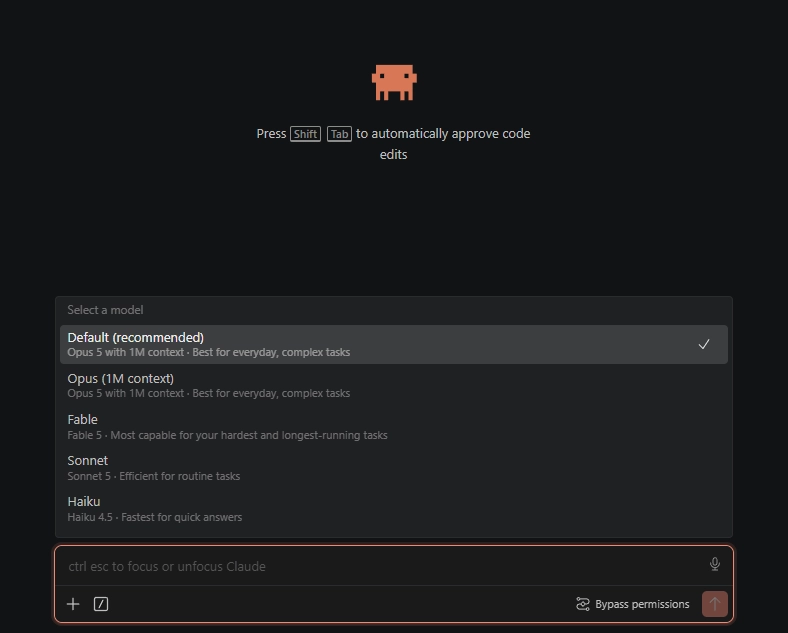
At the time of this writing, the lineup runs Fable 5 at the top, then Opus 5, Sonnet 5, and the fast, inexpensive Haiku 4.5.
Sonnet 5 is the sensible default for daily writing work: outlining, paragraph drafting, revision prompts. It is quick, and its quality ceiling covers most sections of most papers.
Fable 5 is the model to reach for when the reasoning is the hard part: reconciling contradictory findings across a literature, stress-testing a methods argument, or holding a full manuscript in context while checking internal consistency. It consumes plan limits faster, so treat it as the specialist you call for the questions that deserve it.
Opus 5 sits between the two, stronger than Sonnet on long reasoning and cheaper to run all day than Fable. If your plan meters the top model tightly, Opus is the workhorse compromise.
Haiku 4.5 handles quick mechanical asks: reformatting, definitions, tense fixes. Do not use it for anything you would cite or submit.
Effort levels: how hard should the model think?
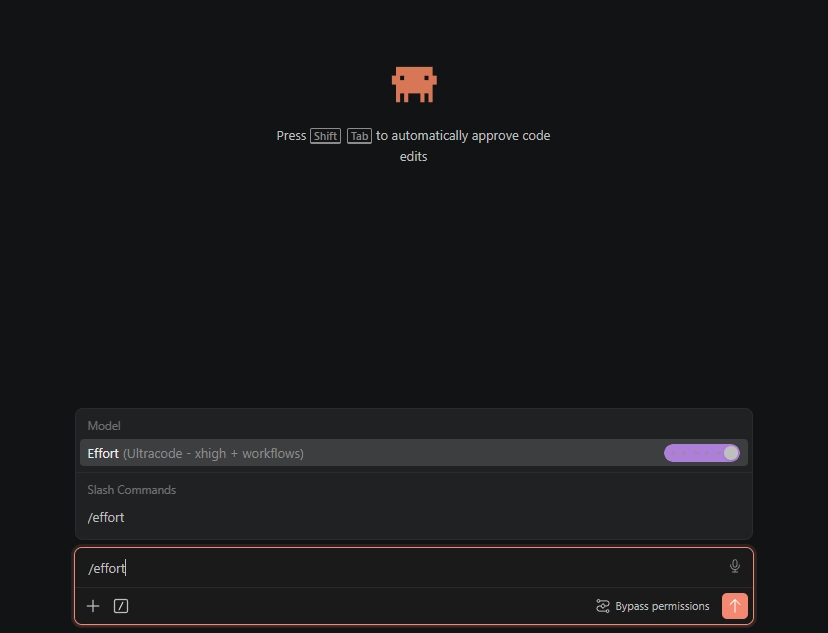
Claude's agentic tools expose an effort setting that controls how much reasoning the model spends before it answers: low, medium, high, xhigh, and a session-only max. There's also a per-prompt boost: include the word "ultrathink" in a request and that single turn gets deeper reasoning without changing the session setting.
Match the level to the weight of the question. Medium is enough for mechanical cleanup. High suits ordinary drafting and revision sessions. Reserve xhigh and max for the questions that carry real analytical load: a synthesis across thirty sources, a statistical design decision, a full-manuscript consistency check. Higher effort costs more tokens and more time per answer, so pinning every session at max slows your routine work and drains your plan for no gain. Only use it when doing actual research that must be highly accurate.
When to compact your session
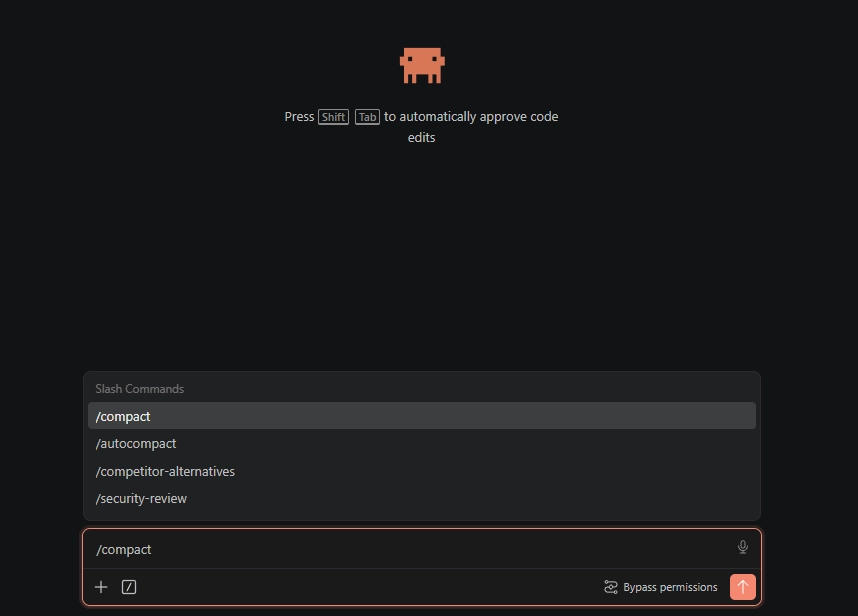
Long conversations degrade. Every message carries the whole conversation with it, so a session that started sharp gets slower and starts dropping earlier instructions as the context window fills. Researchers notice this as fatigue: the model that handled your first three prompts precisely produces vague output by the fifteenth.
The fix is compacting: collapsing the conversation so far into a summary the model carries forward. There are two rules of thumb that work well. Compact after every completed task, at the natural boundary where the literature section is finished and methods work is about to start. Or watch the token meter and compact at roughly 25 percent of context use instead of waiting for the tool to force it near the limit. Anthropic's own guidance says the same: compact proactively at task boundaries rather than after quality has already dropped. A compact at a clean boundary costs nothing; a forced compact mid-task loses nuance you wanted kept.
Is the Claude Max plan worth it for researchers?
Claude Pro costs $20 a month. Max comes in a $100 tier at five times Pro's usage and a $200 tier at twenty times. For casual use, a few conversations a day, Pro is enough and Max is wasted headroom.
For reliable, hardcore research work, Max is certainly worth it. Literature synthesis over long documents, full-manuscript consistency checks, and agentic sessions in Cowork or Claude Code eat usage quickly, and Pro's limits interrupt exactly the sessions that matter most. The $100 tier clears the daily ceiling for most individual researchers. The $200 tier is for people who run these tools all day. If a stalled session the night before a submission deadline costs you more than $100, the arithmetic settles itself.
Why Claude and not ChatGPT or Gemini?
For research work, Claude has currently proven the most reliable of the three frontier assistants. In 2026, independent accuracy trackers pegged Claude's hallucination rate around 3 percent, with the flagship GPT and Gemini models near double that. Behavior under uncertainty matters just as much: Claude says it doesn't know more readily than it invents an answer. A confident fabrication is the failure mode that damages academic work most.
Two qualifications. All models make up citations. A peer-reviewed 2026 comparison found that none of the assistants could produce verifiable reference lists. That means nothing the models cite ends up in your paper without checking. If you're doing just some basic mechanical work, reformatting tables, converting things quickly, there isn't much difference between the three. Where it matters, though, is sustained reasoning over your own sources.
Using Claude without failing AI detection
Text that Claude drafts carries the statistical patterns AI detectors look for, and universities increasingly run submissions through Turnitin's AI indicator. Three practices keep you safe. Use Claude for thinking work (structuring, critiquing, summarizing sources) and write final prose yourself where policy requires it. Disclose AI assistance where your journal or institution asks; our AI disclosure statement guide has templates. And when policy permits AI-helped drafting, revise the output into your own voice or run it through an academic text humanizer that preserves citations and terminology, then check the result against a detector before submission. What you shouldn't do is submit raw model output: it fails detection reliably, and it reads as generic prose to examiners who know your writing.
What Claude gets wrong in academic writing
Transparency matters. Here's where we've seen Claude fail:
Citations. Claude will generate plausible author names, journal titles, and publication years that don't exist. Never let Claude provide references you haven't verified. Or, you can ask it to actually verify the citation exists and provide the DOI for it, so that later you can visit the DOI of each citation just to verify it actually exists.
Field-specific conventions. Claude can miss discipline-specific norms. You know your field's conventions better than Claude does - trust your expertise over the model's output.
Quantitative claims. Claude occasionally introduces statistical claims that weren't in your original data. If a number appears that you didn't provide, verify it.
Tone calibration. Claude writes well, but it doesn't write like you. Always do a voice pass - replacing generic phrasing with your own patterns. Your advisor reads your writing regularly. It should sound like you.
These aren't reasons to avoid Claude. They're reasons to use it with oversight.
Frequently asked questions
Q: Is using Claude for academic writing accepted by universities?
That depends on your institution's policy. Most universities distinguish between using AI as a writing tool (acceptable with disclosure) and submitting AI-generated work as your own (not acceptable). Using Claude for brainstorming, outlining, and drafting, then revising and adding your voice, falls into the tool-use category. Always check your guidelines and disclose where required.
Q: How does Claude compare to ChatGPT for research writing?
Claude handles long documents and nuanced instructions better. It's more reliable at following formatting requirements and less likely to fabricate claims. ChatGPT tends to be better at mechanical tasks like reformatting tables. For core writing tasks, we give Claude the edge - but both work. See our AI prompts for academic writing for prompts that work across models.
Q: Can Claude write an entire research paper?
Technically yes. Should it? No. The quality of a full paper generated in one pass is significantly lower than a paper developed section by section with researcher input at every stage. Your data interpretation, theoretical framing, and argument construction need to come from you. Claude is most valuable when it's handling the mechanical aspects of writing - structure, phrasing, word economy - while you direct the intellectual content.
Q: Will my Claude-drafted text get flagged by AI detectors?
Probably, if you submit the raw output without editing. Claude's writing patterns are detectable by tools like Turnitin and GPTZero. The solution is humanizing the Claude draft into your own voice - adding your voice, varying sentence structures, and running the text through a humanization pass. A well-edited Claude draft that's been personalized and reviewed typically scores well below detection thresholds.
Q: Can universities detect text written with Claude?
Detectors do not identify which model wrote a passage, but Claude's raw output carries the same statistical regularities as other models' output, and Turnitin-grade detectors flag it at high rates. Detection risk comes from how much unedited model text survives into the submission, and it applies to every model equally. So it is best to manually refine the raw Claude output before submission anywhere.
Q: Which Claude model is best for academic research?
Sonnet 5 for everyday drafting and revision, and Fable 5 when the reasoning is genuinely hard: cross-source synthesis, methods critique, or holding a whole manuscript in context. Opus 5 is the middle option for long sessions on a metered plan, and Haiku 4.5 is for quick mechanical tasks only. Whatever the model, verify every citation and number before it reaches your manuscript.
Q: How often should you compact a long Claude session?
Compact at every completed task boundary, or at about 25 percent of context use, whichever comes first. Collapse the conversation into a summary the model carries forward to keep answers sharp and prevent the gradual instruction forgetting caused by long sessions. Waiting until the tool forces a compact near the context limit usually means quality already degraded and the summary drops details you cared about.
Citation-safe humanization that holds your academic tone. The step between your Claude-assisted draft and any AI detector.

Moe is an NLP engineer with a PhD in natural language processing. His research covers computational linguistics, text analysis, and machine learning, and it fed directly into the editing and humanization models behind ProofreaderPro. He writes about the part of the process most people never see: how a language model reads a sentence, scores it, and decides what to change.